Lookbook Pose References Made Clear
Choose pose references that reveal garment construction, control framing and reduce ambiguous setup decisions in an AI fashion lookbook.
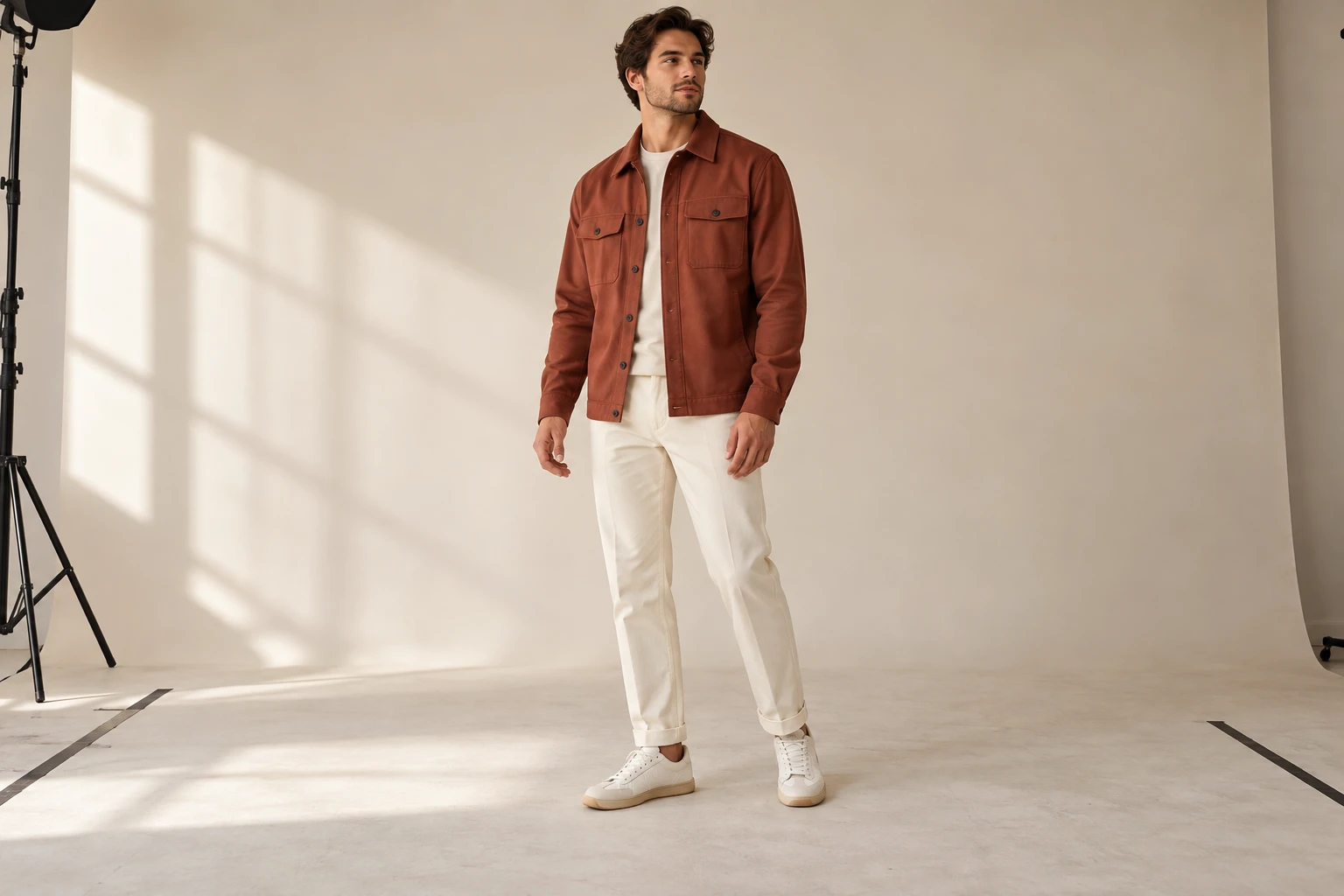
“A relaxed fashion pose” can mean a hand in a pocket, crossed arms, a turned shoulder or a seated body. Those choices can hide the very detail your product image needs to show. A pose reference turns an open instruction into a visible decision, but it still needs to be suitable for the garment. This guide explains how to choose and use that reference for a lookbook: begin with what the shopper should see, align the camera and framing, and inspect the finished product. It contains no claim that reference poses guarantee fidelity or reduce generation time by a measured amount.
Choose the Product View
- Required product information
- Useful view · Suitable pose
- Hands
- Hair · Overlapping accessories
- Body position
- Camera relationship · Product source
Start by identifying the product information the image must communicate. A chest graphic needs a readable front panel; a shaped sleeve needs room around the arm; a long coat needs a visible hem. If the pose hides those areas, a stylish result may still be unsuitable for the product page. Decide which image in the lookbook carries which information rather than asking one frame to do everything.
Write one sentence for the required view. For example, the first image shows the jacket’s front closure and pocket arrangement; a later image shows its side volume. Then choose the body position that serves that sentence. This keeps pose selection connected to the garment instead of copying an attractive reference whose hands, crop or angle conceal the details you actually need.
Check Hands, Hair and Layers
Hands
Hair
Two views of the same editorial photograph, not a model comparison.
Look at what crosses the garment in the reference. Hands over a logo, hair over a neckline and a bag across the torso all reduce visible evidence. They may be intentional in a campaign image, but a detail-led product frame needs a different choice. FASHN’s official model-image guidance recommends natural poses and warns against hair or objects covering clothing.
Separate intentional styling from accidental obstruction. A hand in a pocket may demonstrate pocket placement; it may also change the shape you are trying to inspect. An open jacket can reveal a layered look while hiding its closure. Make that tradeoff explicit. For the primary view, choose a pose that exposes the product identifiers. Use more expressive poses in supplementary images when the necessary product evidence is already available elsewhere.
Match the Camera Relationship
Body position
Choose a stance that reveals the intended garment area.
Camera relationship
Communicate height, angle and crop together.
Product source
Keep the actual product reference separate from pose inspiration.
A pose reference includes more than elbow and shoulder positions. Camera height, distance and viewpoint affect how the body and garment appear. A close, low-angle reference communicates a different image from a distant eye-level one even if both people are standing. Include the intended framing when you choose the reference so the operator does not have to infer it later.
Google’s image guidance recommends a pose reference for complex poses. In practice, tell the editor which part of the reference matters: body position, camera relationship or the whole composition. If the reference also contains an unrelated outfit, clarify that it does not replace the product source. Keep the garment image authoritative for construction and artwork. A useful reference resolves pose ambiguity without introducing a second, conflicting garment brief.
Plan the Export Crop
- Placement
- Garment boundary · Export crop
- Visibility
- Garment correctness · Purpose of the pose
- Approved visual direction
- Documented exceptions · Ready scene option
A full-body pose is not automatically a useful portrait crop. Decide whether the image will appear in a collection grid, product gallery, editorial spread or social placement. Reserve space for the garment and for any later crop. Avoid choosing a reference in which a cuff or hem is already outside the frame if that detail is necessary for approval.
You can create a simple framing note without designing a fake interface: head clearance, visible garment boundary and intended aspect ratio. Keep that note beside the pose reference. If several placements need different proportions, identify the required variants before production rather than repeatedly cropping the same candidate until the product is compromised. Check the final export for cut-off details, not only the uncropped preview in the editor.
Review Pose and Product
Visibility
Confirm that the required product areas are actually shown.
Garment correctness
Compare construction and artwork with the correct source variant.
Purpose of the pose
Ask whether the body position helps this specific image do its job.
A candidate can follow the pose while changing the garment. It can also preserve the item but miss a hand position that matters to the story. Record those as different outcomes. Check the intended view first: are the required areas visible? Then compare construction, print placement and colorway against the actual product reference at full size.
If a pose causes repeated uncertainty around one area, simplify the pose rather than adding increasingly elaborate instructions. Move the hand away from the chest, choose a less rotated torso or use a clearer supplementary view. This is a practical revision strategy, not a claim about a particular model’s failure rate. The goal is an inspectable image whose pose supports the garment, not an impressive pose that makes product accuracy impossible to judge.
Reuse the Visual Direction
A good pose reference makes the required product view easier to create and easier to inspect.
Once a pose and scene work for the collection, save the approved direction and document its allowed variations. A new garment may need extra space, a slightly different sleeve position or another camera crop. Preserve the relationship to the original art direction while adapting the frame to the product. This gives the next operator a visual starting point and a reason for each exception.
Studiola lets you choose a model when needed, add your own product and select a ready Lookbook scene. The scene already represents pose, light and framing, so those setup decisions are visible rather than hidden in a blank prompt. You still need to choose a scene that reveals the item and review the output. A ready scene is useful when its visual decisions fit the brief; it is not evidence that every garment will transfer exactly.
Sources, method & questions
Published · By Studiola Editorial Team
Frequently asked questions
Should the pose reference contain the exact garment?
It can, but if it does not, give the pose and product references distinct roles. The pose image should not overwrite the product facts.
Does a pose reference guarantee the final body position?
No. It communicates intent. Compare the actual candidate with the reference and decide whether any difference affects the image’s purpose.
How this guide was researched
An editorial guide based on official sources. No generation benchmark or model ranking was performed. Proposed review steps are a working method, not a measured performance claim.
Sources & further reading
- 01Google — pose references for complex image edits
Google · Primary source · Checked
- 02FASHN — model-image and pose best practices
FASHN · Primary source · Checked
- 03Google Merchant Center — product visibility and variants
Google · Primary source · Checked
Prepare a scene with your product
In Studiola, select a model when needed, add your own product and choose a ready Lookbook scene. Review the output against the product reference.