One Garment, Different Channel Crops
A reusable image starts with enough information in the master. The channel crop should preserve the reason the photograph exists.
A complete garment view with crop space
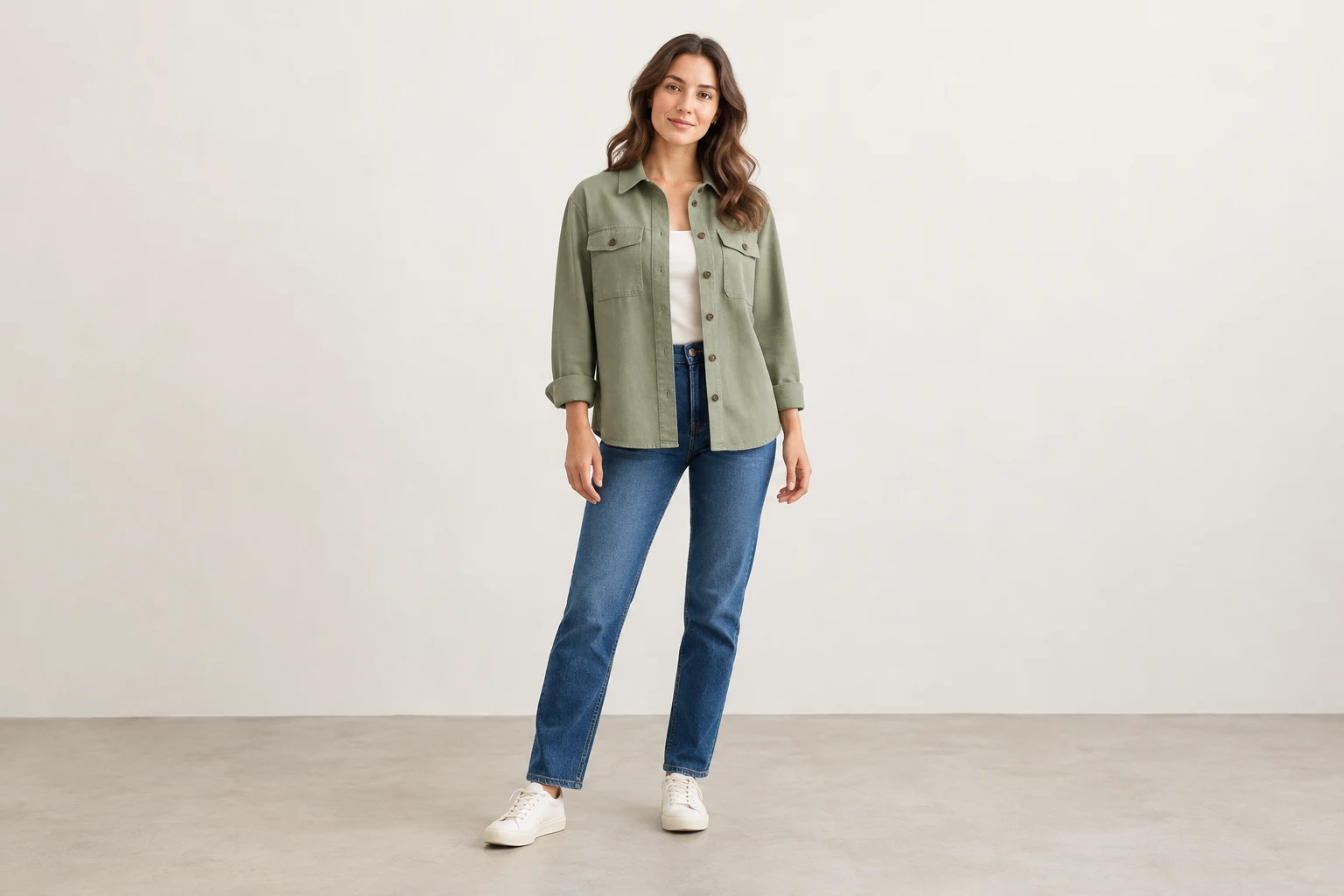
A product page, a collection card and a social placement can use the same photograph for different jobs. The product page may need the full garment, while an editorial social frame may focus on styling. Decide what each version must explain before asking one crop to work everywhere.
A Shopify discussion asks whether Instagram-shaped images can also be used in the store to avoid preparing two versions. The question identifies a sensible production goal, not a universal ratio recommendation. Reuse the approved source where appropriate, then adapt the framing to the specific destination without hiding the product features that matter.
Protect the Garment Boundaries
- Product page
- Readable item and useful detail
- Collection card
- Fast identification at thumbnail size
- Social creative
- Composition suited to its placement
- Ad asset
- The specific campaign requirements
Start with a source that contains the information needed by the final views. For an overshirt, that can mean visible collar, front pockets, cuffs and hem, with arms not blocking the product. Leave intentional space around the person rather than relying on a tight full-body composition to survive every later crop.
Space is useful only when the garment remains large enough to inspect in the source. A tiny person in a huge room is not automatically a versatile product image. Balance context and detail, and keep a closer source available when small construction features will need to be explained in the product gallery.
Define Each Channel’s Essentials
Whole item
Whole item
Protect the outline when the image must identify the complete garment.
Defining feature
Defining feature
Keep the full print, fastening or construction detail that gives the frame its purpose.
Context
Context
Retain enough person or setting to support the intended styling story.
Write a protected-area note before exporting. A trouser image may need the waistband and both hems. A graphic top may need the entire print. For a bag or accessory, the relevant boundary is different again. This small note makes cropping a product decision rather than a purely decorative adjustment.
Consider the relationship between face, garment and empty space. An attractive face-centred crop can remove most of the item being advertised. A product-only crop can be appropriate when it still communicates the intended item honestly. Do not enlarge a low-detail region and treat the resulting blur or invented reconstruction as new product evidence.
Use the Destination Specifications
- Master
- Keep a complete high-resolution source
- Protect
- Mark the garment-defining boundaries
- Adapt
- Create each destination crop
- Approve
- Review the actual final composition
Google Ads documents different image shapes for Performance Max, including horizontal, square and portrait assets. Those campaign-specific requirements should not be reduced to a rule that every commerce image must be square. Check the current specifications for the exact asset type and campaign you are preparing.
Make a small export map with destination, role, ratio and required visible feature. Keep any copy or graphic treatment appropriate to that destination rather than baking every campaign message into the master. This allows a clean product image to remain available while a separate creative version serves the intended advertising placement.
Account for Storefront Cropping
The complete master composition
A closer product crop
Shopify documents focal points for compatible themes as a way to guide which area remains visible when aspect ratios change. A focal point can help communicate priority, but it cannot preserve two distant garment edges in an unsuitable narrow crop. If the destination needs both, change the composition or supply a different source.
Keep the source and derived crops connected. A cropped social version may be suitable for its role while being insufficient as a primary product photograph. Name the version by its destination and purpose so a publisher does not later replace the product-page lead image with a file that was approved only as an atmospheric creative.
Plan the Source for Reuse
Brief
List the destination roles before choosing the composition.
Prepare
Keep a complete source and the product references.
Adapt
Make purposeful crops rather than identical exports.
Approve
Check each final view against its protected garment area.
In Studiola, define the garment, pose and camera context around the planned deliveries. If you expect a complete product view and a closer social crop, prepare the direction accordingly before generating many alternatives. Keep the reference product visible in the brief so a later composition choice does not quietly redesign the garment.
Once a direction is approved, save that context for related products and prepare their channel versions from an identifiable master. This can reduce repeated scene and framing choices, but it does not guarantee that every crop is usable. The final decision belongs to the exact export and the information it must retain.
Deliver Traceable Image Versions
Master
The complete source is identifiable and remains available.
Feature
The destination’s protected garment information survives.
Role
Each version names its intended channel and use.
Limit
Missing product evidence is not silently replaced by a plausible invention.
Use a common product or asset identifier with clear destination suffixes, such as product-page, collection or portrait-social. Keep the original master separate from derivatives. Add a note when a version deliberately omits part of the garment so another team does not mistake it for a complete product record.
If no acceptable crop exists, return to the source brief. A new composition can be more useful than stretching, excessively enlarging or inventing the missing area. The aim is efficient reuse with honest product communication: one well-prepared source where it works, and a distinct source where the destination asks a genuinely different question.
Sources, method & questions
Published · By Studiola Editorial Team
Frequently asked questions
Can one photo serve a product page and social media?
Often it can supply both, but the source must contain enough information and each final crop must meet its specific purpose.
Is square required for every Google image?
No. Requirements depend on the product and campaign asset type; use the current specification for the actual destination.
Does adding background space fix every crop?
No. It does not recover hidden garment details or create sufficient detail in an undersized source.
How this guide was researched
Researched from the linked primary sources on October 23, 2026. Community posts identify questions, not representative findings. Recommendations are editorial workflows; images are AI illustrations and diagrams, not tested Studiola outputs.
Sources & further reading
- 01Performance Max image-asset guidance
Google Ads · Primary source · Checked
- 02Image focal points and varying aspect ratios
Shopify Help Center · Primary source · Checked
- 03Using the same images for Instagram and Shopify
Reddit · r/shopify · Community question · Checked
Plan the master before making the variations
Choose a garment-readable pose and camera direction around the channel views you actually need.