Stripes, Logos & AI Try-On
Great-looking photo. Wrong product? Zoom in on the details that decide whether an AI fashion image is ready to use.
01 / Product reference
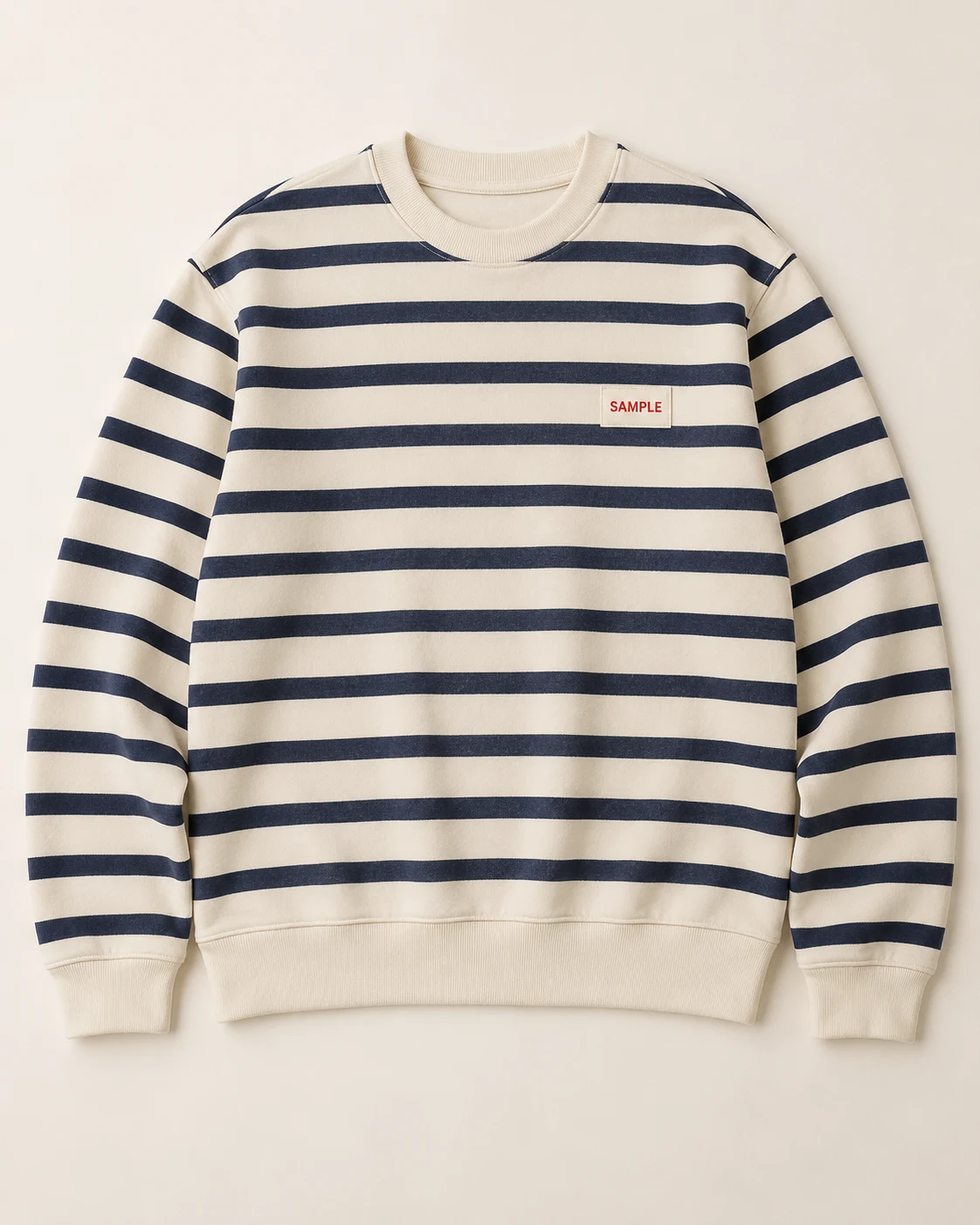
02 / Invented errors
AI-created teaching illustrations. The errors were deliberately requested; these are not Studiola results or a model comparison.
Virtual try-on builds a new on-body image. Fine lettering and repeating patterns can change even when the overall photo looks convincing. Compare the garment before judging the scene.
Keep the reference and generated image open together, with the same part of the garment visible. A useful first pass follows three landmarks: neckline, chest detail and hem. If a landmark has moved or a defining feature has changed, note that specific difference before spending time on background, styling or crop. The aim is a clear review decision, not a vague impression that the image feels right.
Look closer
Three places to zoom in
A sharp image can still contain the wrong detail. Check each against the original product.
Logo / lettering
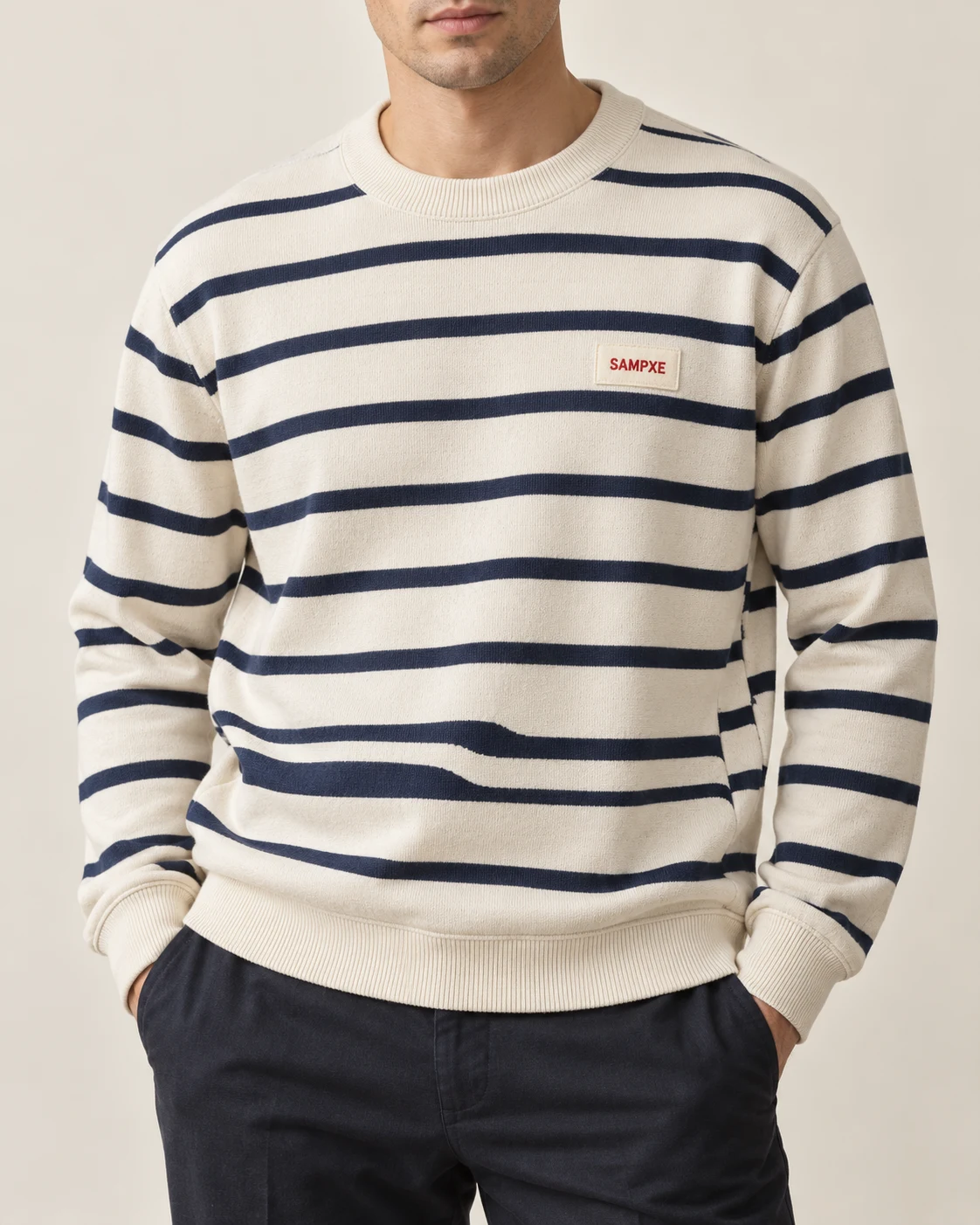
Read every letter
SAMPLE and SAMPXE are different. Compare the lettering, shape and placement.
Pattern / continuity
Follow the repeat
Trace stripe order and width across the visible fabric. Look for splits and unexplained jumps.
Seams / texture
Check the construction
Compare side seams, sleeve joins, ribbing and texture. Do they still describe your product?
Review at the size your customer will see, then zoom in on commercially important details. A readable invented word can look cleaner than a faithful but small label; clarity alone is not a pass. If the source does not let you identify the letters or seam, mark the feature as unverified and obtain a better reference instead of treating the generated version as evidence.
Shape is not the same as design
Folds or Pattern Changes?
Fabric folds around a body. Follow the pattern through visible sections rather than expecting a flat-lay match. Arms or hair can also hide the very detail you need to check.
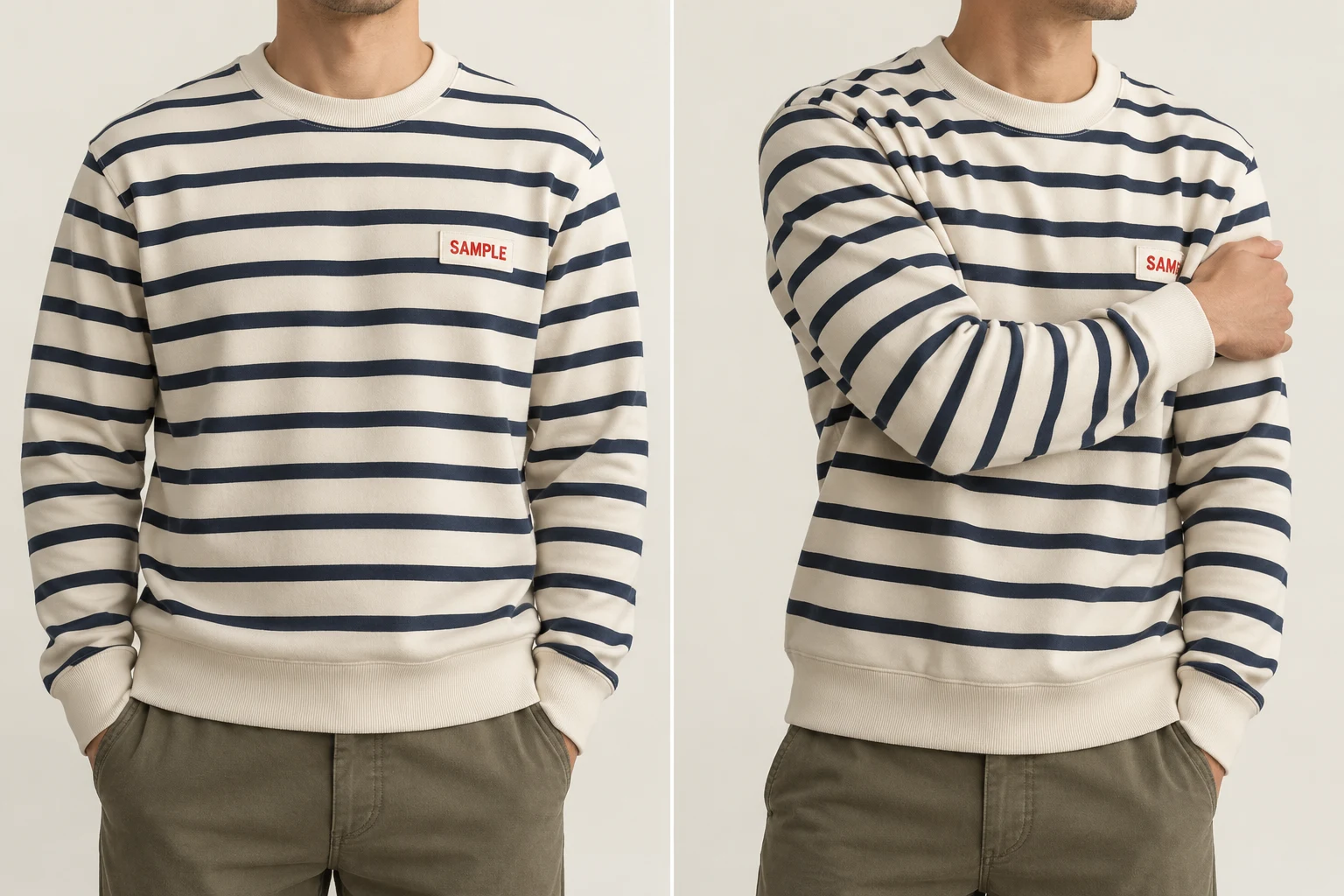
Treat the original construction as the guide. Some real garments interrupt stripe alignment at seams, so a perfectly continuous stripe is not a universal requirement either. Compare what is visible on the physical product. When a pose covers a feature, an unobstructed companion view can help you judge it; another attractive image with the same obstruction adds little information.
Make the source useful
Front. Detail. Back, when needed.
Keep a clear front view, a close-up of distinctive details, and a back view if the design needs it. A hidden or blurry logo is a reason to add a reference, not to trust a plausible reconstruction.
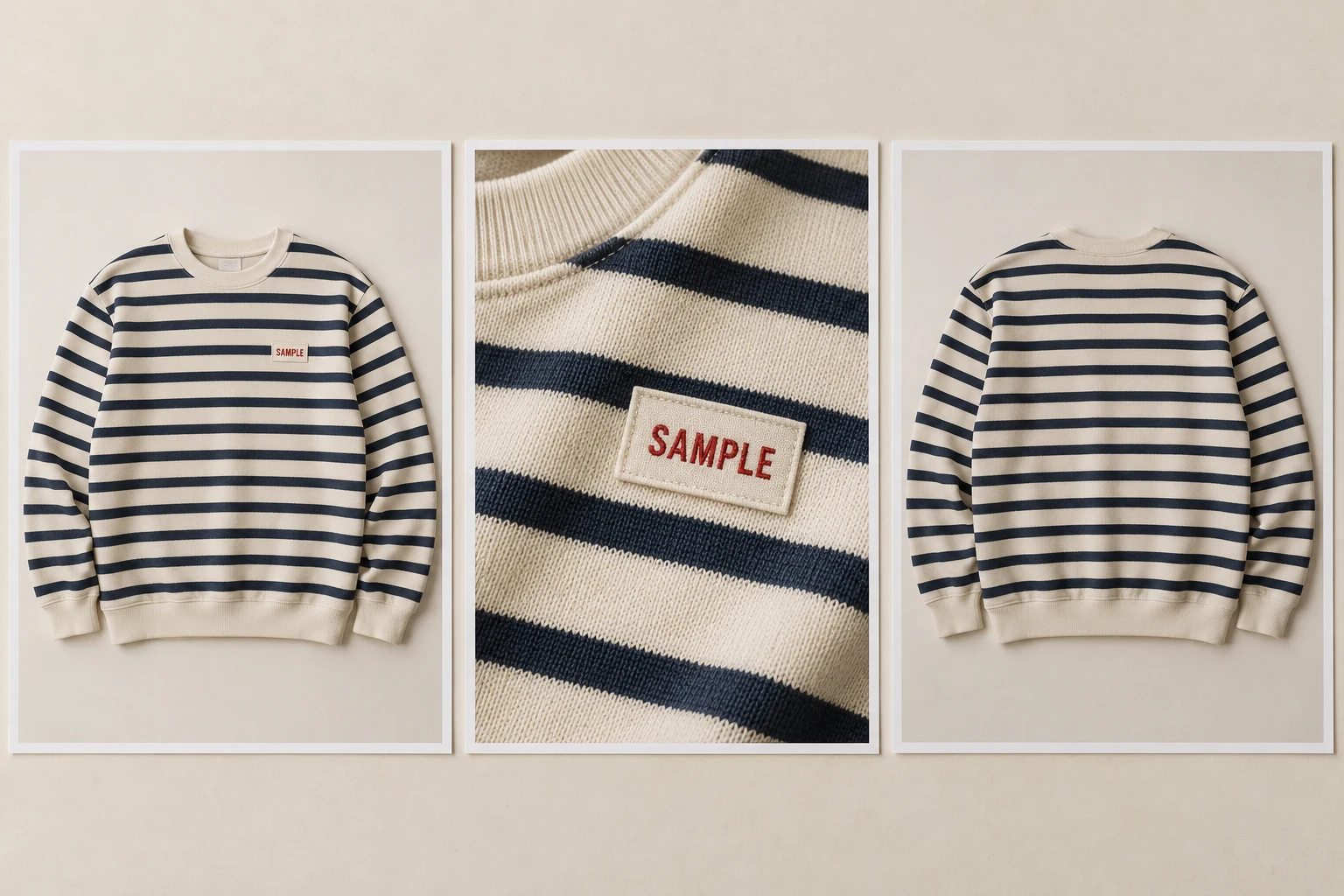
These views have different jobs. The full front establishes the silhouette and overall pattern; the detail view makes lettering and surface construction inspectable; the back answers questions the front cannot. Capture the actual color variant and keep the files associated with the same product. The kit is a review aid, not a promise that every tool accepts or uses every photograph at once.
Less scene setup, more product attention
Start with a Clear Scene
In Studiola Lookbook, the selected scene already shows the pose, light and framing. The basic flow needs no written prompt. It reduces setup decisions; garment details still need your review.
Model
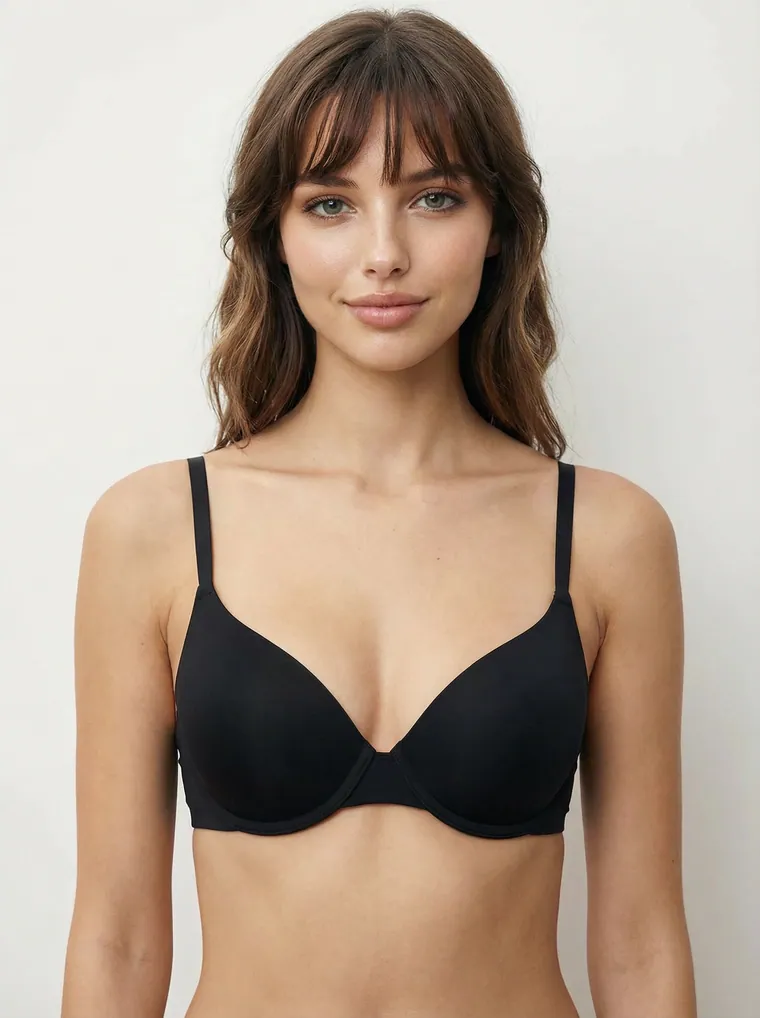
Choose a model
When the scene needs one.
Your product
Add your product
Keep its design as the reference.
Ready scene
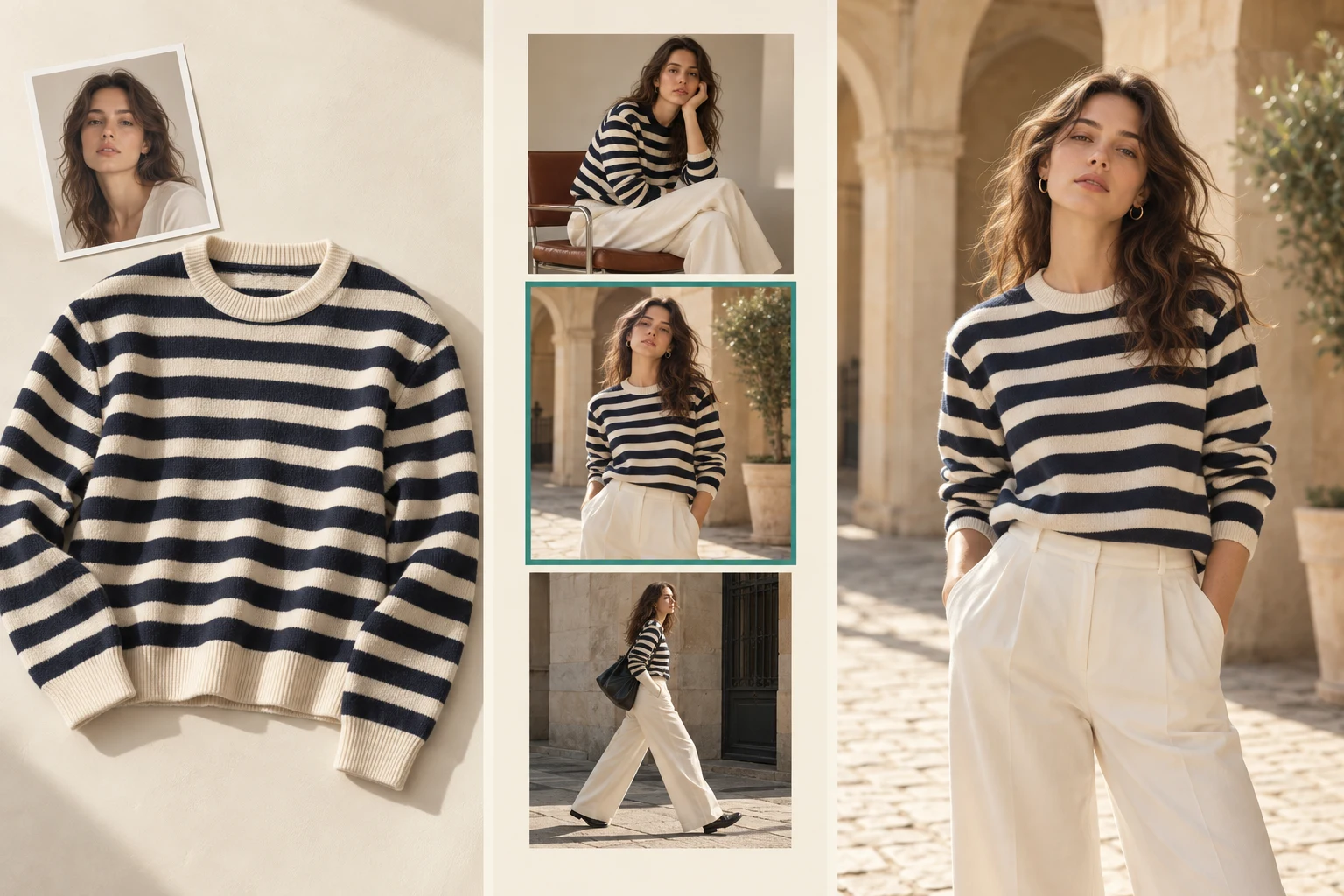
Pick a ready scene
Start from a visible direction.
Product check
Generate, then review
Compare the actual garment details.
For a striped range, choose a direction that leaves the important product area visible, then carry that direction into the next item where it suits the collection. The saved decision is the scene setup, not the approval of every later garment. Studiola TRY ON is an alternative when you want more open-ended creative exploration; choosing and adjusting the direction may involve more iterations.
Before you use the image
Make the Review Decision
For a product listing, Google requires an accurate image of the actual product variant. Record a specific reason for the next decision.
Approve
Visible product details match, and the image meets the destination’s requirements.
Revise
Name the difference: “The sleeve stripes changed” is more useful than “Make it better.”
Add a reference
A critical feature is hidden, unclear or missing from the available photographs.
Separate the product decision from the channel decision. A frame can preserve the garment but crop out a detail needed on a product page. A campaign image may also need a different composition from a main shopping image. Keep the original reference, the chosen output and your revision note together, so the next person understands what was approved and what still needs work.
Why this happens · Sources · Quick answers
Published · By Studiola Editorial Team
Frequently asked questions
Why do logos and stripes change in AI try-on?
Try-on research documents difficulty preserving fine details such as lettering and logos. Small or hidden details and complex repeats can also vary. Compare each important feature with a clear product reference.
Must the stripes stay perfectly straight?
No. Normal folds change the visible shape of a stripe. Check the design’s sequence and continuity, allowing for the garment’s pose and construction.
What if the logo is hidden in the result?
Choose a view that exposes it or inspect another image. Do not infer exact lettering from a covered patch.
How this guide was researched
Published by Studiola. Sources describe garment-detail and visibility challenges; they are not a current app ranking. Four new AI-created photographs explain the checks. The altered lettering and stripes were deliberately requested. Reference and example images were generated separately, not by running a try-on test. Workflow photos are illustrative, not screenshots.
Sources & further reading
- 01DualFit: A Two-Stage Virtual Try-On via Warping and Synthesis
ICCV Workshops / CVF · Primary source · Checked
- 02Virtual Try-On: product detail and reference-image FAQ
FASHN · Primary source · Checked
- 03High-Resolution Virtual Try-On with Misalignment and Occlusion-Handled Conditions
ECCV / ECVA · Primary source · Checked
- 04Product image requirements: image_link
Google Merchant Center · Primary source · Checked
Choose the scene. Keep your eye on the product.
Start a Lookbook with your product and a ready scene.