AI Fashion Photography Costs
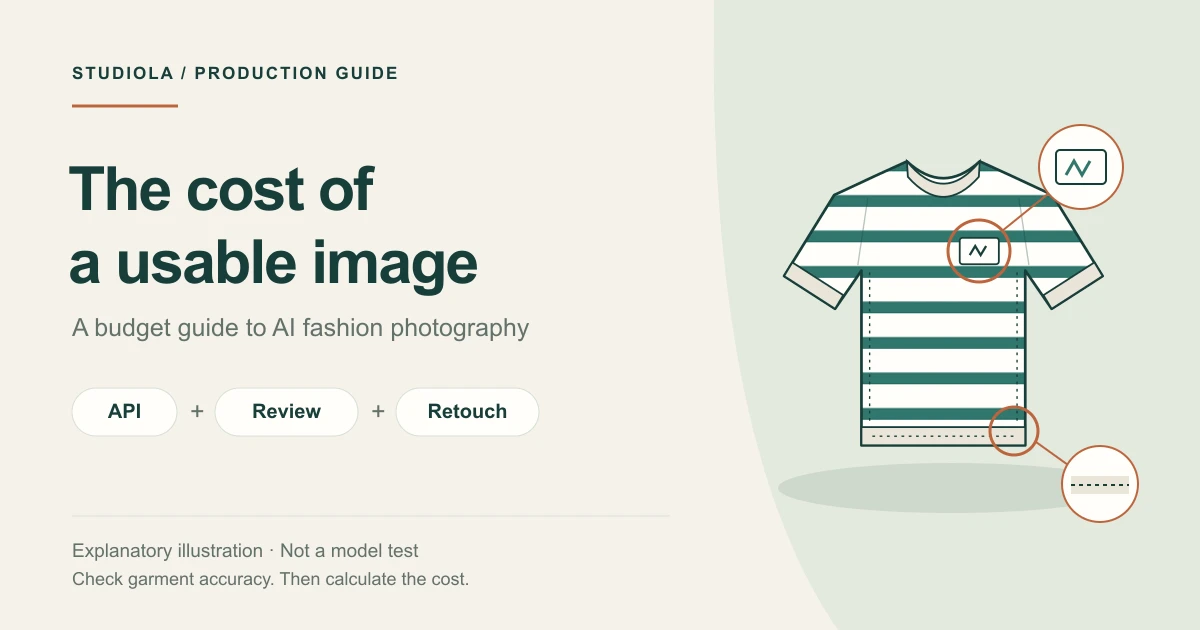
The price of a generation is only part of the job. A useful budget also accounts for preparation, creative decisions, repeated attempts, and product checks.
What Does It Cost?
The useful answer includes both the subscription and the work around it. Studiola Lite costs $10 per month and includes 10 monthly credits. A Lookbook generation uses one credit, so fully using that allowance for Lookbook means a nominal $1 per generation. An approved catalog asset still requires a product check, and some products may need another attempt.
For a clothing team, the bigger question is often how quickly a product can move from reference photo to a clear visual direction. Choosing a model, assembling a scene, deciding on pose and framing, and organizing revisions all take attention. A useful comparison accounts for that preparation alongside the generation fee.
Sources for this section: [1] Studiola
Where Preparation Adds Up
A retailer on Reddit asks how to turn more than 100 mannequin images into on-model photos with consistent lighting and style. It is an individual production question, but a useful one: the desired result is a coherent collection, not simply a folder of generated images.
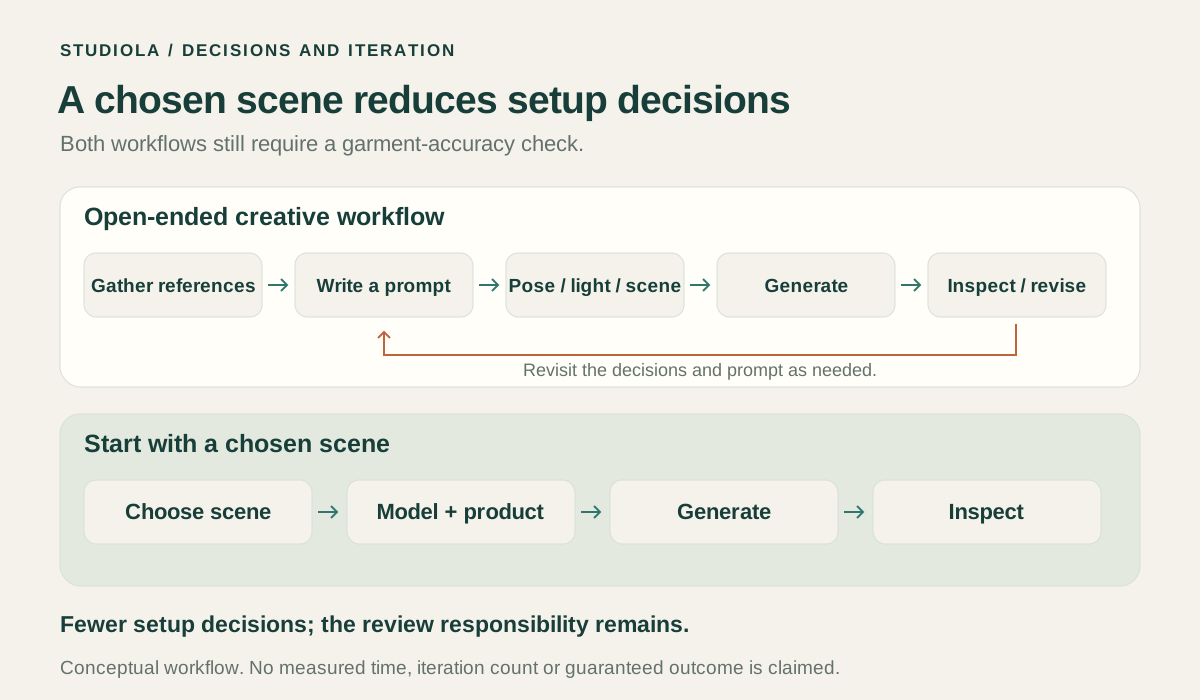
Imagine a striped sweatshirt collection. Before checking the stripe pattern, someone must choose the model, background, pose, camera distance, and lighting. Reopening those decisions for every colorway makes the job harder to organize. Starting from an established visual direction gives the team something concrete to approve and reuse.
Sources for this section: [3] Reddit · r/ShopifySEO
Three Choices in Lookbook
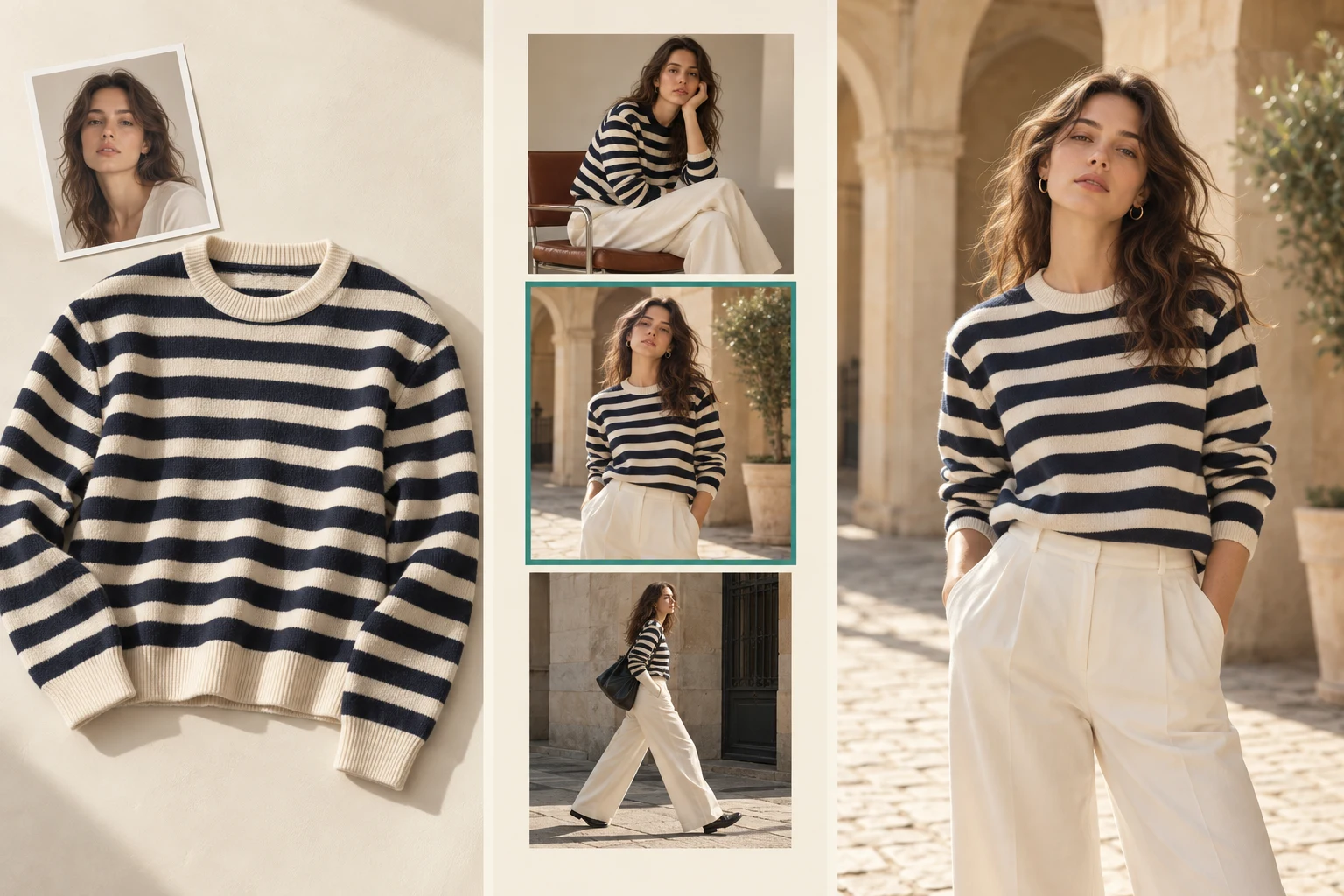
Studiola Lookbook makes the starting direction visible. Choose a model, add your own product, and select a ready Lookbook scene. The scene already presents a pose, lighting, and framing direction. You can begin without having to describe the entire photograph in a written prompt.
This is useful when the team wants a coordinated product series and has no reason to reinvent the setting for each item. Pick a direction, generate a first image, and inspect the garment. Keep the successful direction while moving through the collection. The aim is to reduce setup decisions and avoidable rework; the actual number of attempts depends on the product and the result.
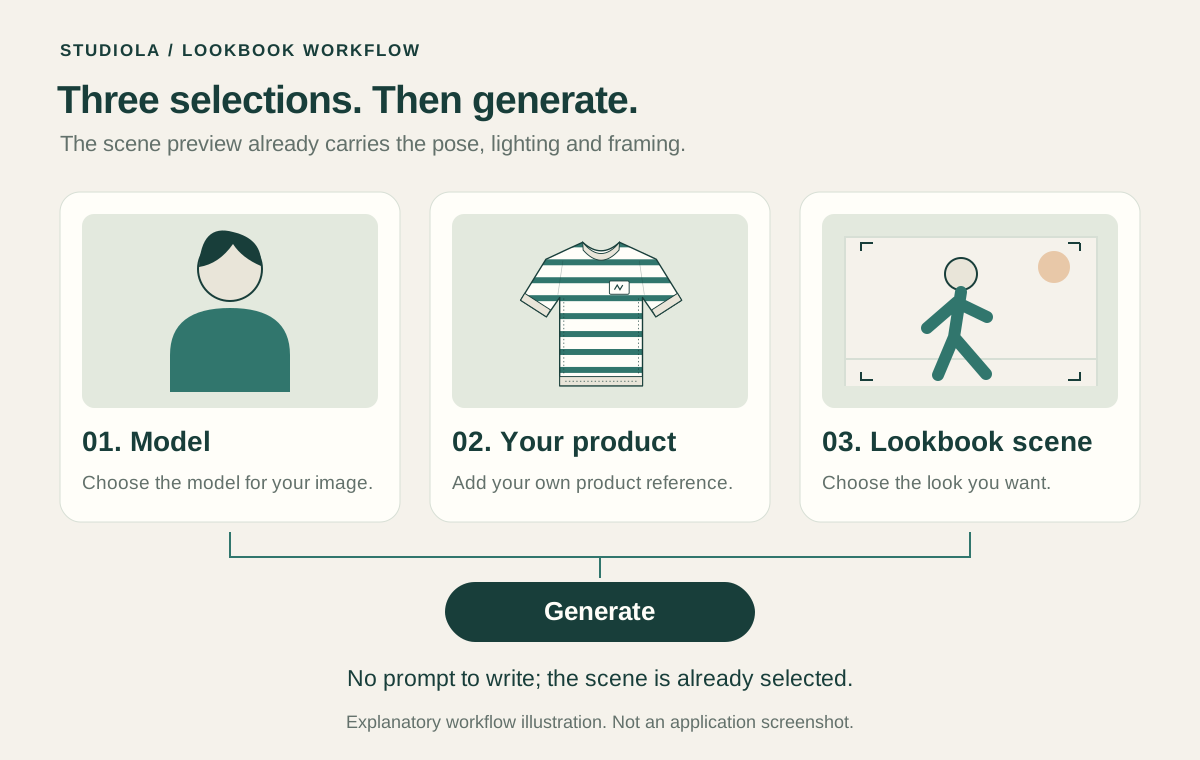
- Choose the model for the intended presentation.
- Add a clear photograph of your actual product.
- Select a ready scene with the pose, lighting, and framing you want.
- Generate, compare the garment, and approve or revise.
Credits and Pricing
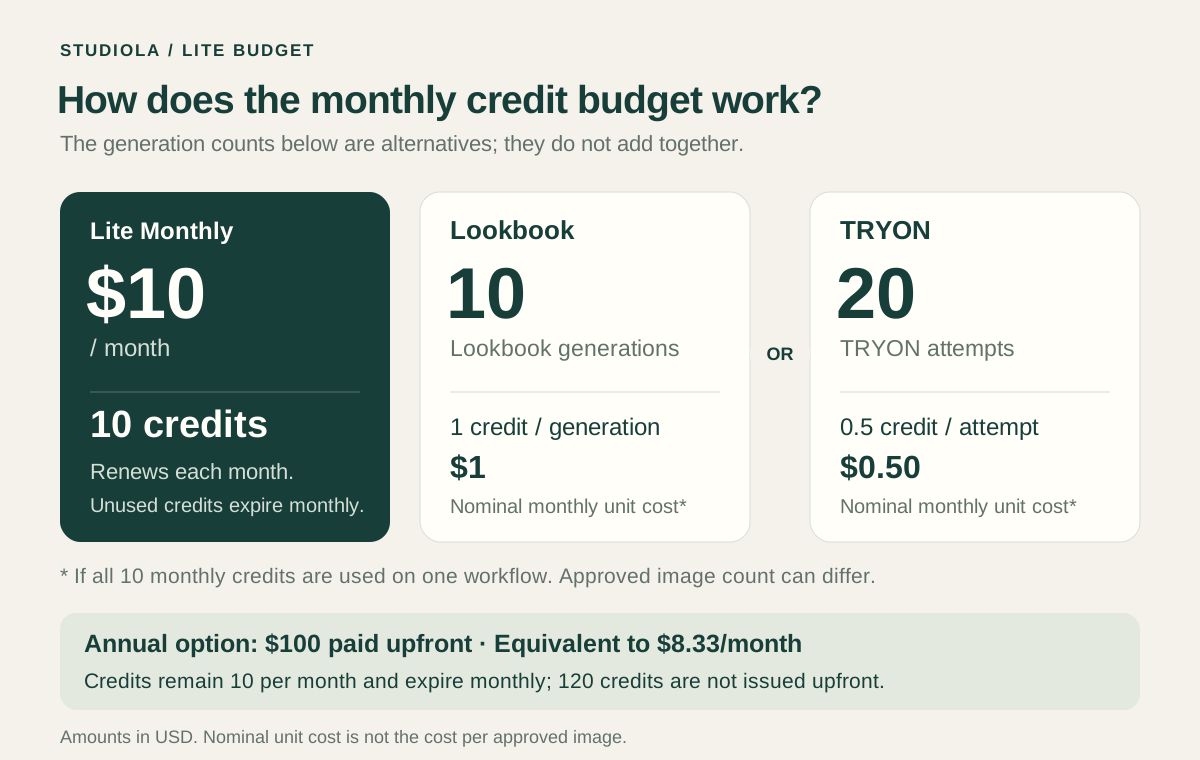
Lite provides 10 credits each month. Lookbook uses one credit per generation; TRY ON uses half a credit per attempt. The figures below assume that you use the entire allowance for just one workflow. They are alternative uses of the same credits, not two allowances you receive together.
Annual Lite costs $100 paid upfront, equivalent to about $8.33 per month. Credits still arrive as a monthly allowance of 10 and expire monthly; you do not receive 120 credits upfront. Unused allowance changes the effective cost of the generations you actually make. Check the pricing page for the current offer.
| Use of the full monthly allowance | $10 monthly plan | $100 annual plan |
|---|---|---|
| 10 Lookbook generations at 1 credit each | $1 per generation | About $0.83 per generation |
| 20 TRY ON attempts at 0.5 credit each | $0.50 per attempt | About $0.42 per attempt |
Sources for this section: [1] Studiola
Lookbook or TRY ON?
Lookbook is a practical starting point when you can choose a ready scene and want to move through products with an established direction. TRY ON is useful when you want more open-ended art direction. Its lower credit cost per attempt leaves room to explore, while the creative process may involve more decisions about pose, scene, and wording.
Neither choice is automatically cheaper for a finished brief. Consider how many attempts you make and how much preparation each requires. A lower-priced attempt and a more structured workflow solve different needs. Likewise, an API output fee covers a different scope from an app workflow that helps you select, organize, and review the work.
Before restarting an image, name the remaining issue: product detail, pose, scene, or framing. Change the part that needs attention while keeping useful decisions. This gives the next attempt a purpose and makes the work easier to hand over to another teammate.
Choosing a Model Workflow
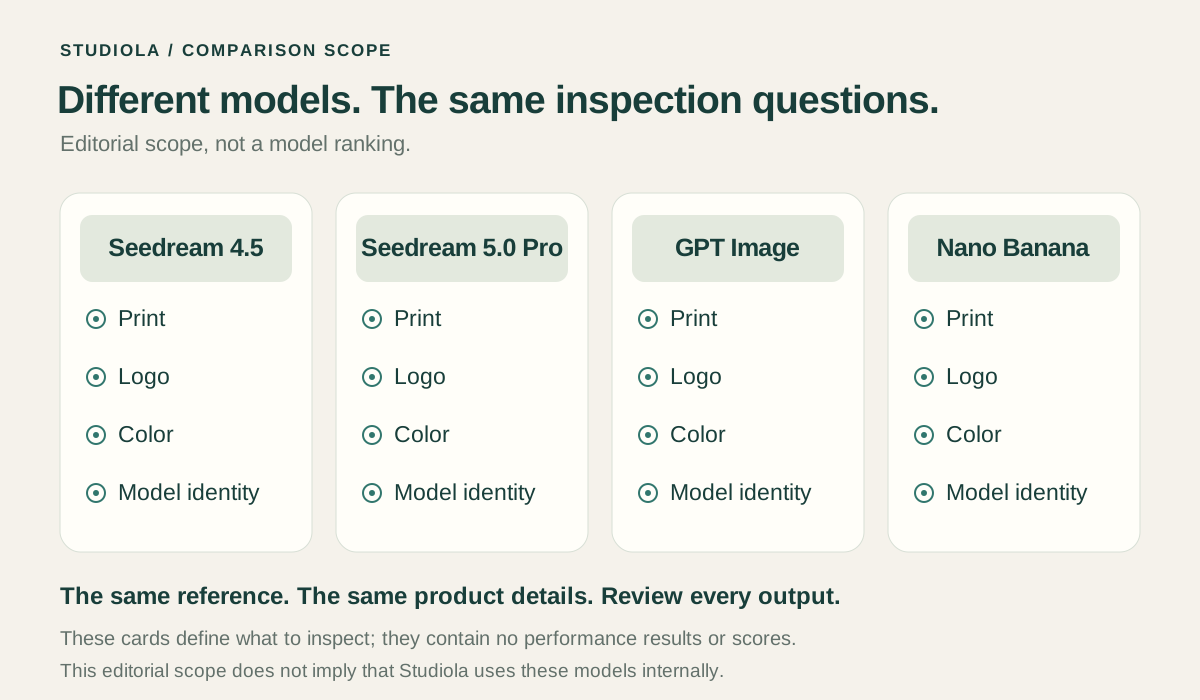
For fashion production, a useful model discussion can focus on Seedream 4.5, Seedream 5.0 Pro, GPT Image, and Nano Banana. The relevant question is how a particular version handles your garments and creative direction. A plain sweatshirt, a striped sleeve, a small logo, and lace can expose different problems.
Practical experience is most useful when it comes with the original reference and the resulting image. Look closely at the product and ask how much preparation and revision the result needed. A model name alone does not describe that work. This guide does not rank the four families or present an independent benchmark.
Keep the comparison tied to your production task: the same garment, the same desired view, and the same approval rules. In Studiola, start with the visible workflow and scene that suit the job. Judge the delivered image against the product rather than treating a model discussion as a substitute for art direction.
Review the Garment
Review a striped sweatshirt at the collar, cuffs, chest, and sleeve seams. Check the stripe spacing, logo, color, silhouette, and hem against the original photograph. Then inspect the person, crop, and scene. A polished image is ready only when it serves the intended product and channel.
Google Merchant Center requires the actual product and accurate variant details, including color, pattern, and material; promotional overlays are excluded from the main product image. Keep those destination requirements in the brief. In Studiola, inspect the result before downloading or revising so the same product checks guide each attempt.
Sources for this section: [2] Google Merchant Center
Start with One Product
Choose a small group from the next collection. Prepare clear source photos, select a Lookbook model and scene, and agree on the views you need. Record the time spent preparing, the credits used, the revisions made, and the images approved. Those observations give your team a usable budget for the next group.
The value to look for is a smoother route from product to publishable image: fewer decisions to reopen, clearer revisions, and a collection that feels planned together. A ready Lookbook direction is a concrete place to begin that process.
Frequently asked questions
How much does Studiola Lookbook cost per generation?
Lookbook uses one credit per generation. Lite includes 10 monthly credits for $10 per month, so fully using them for Lookbook equals $1 per generation. With the $100 upfront annual plan, the equivalent is about $0.83. An attempt is not a guaranteed approved image.
Do I get 10 Lookbook generations and 20 TRY ON attempts each month?
No. These are alternative ways to use the same 10 monthly credits. Lookbook uses one credit and TRY ON uses half a credit per attempt. You can also split the allowance between the two workflows.
Do I need to write a prompt to use Lookbook?
No. Choose a model, add your product, and pick a ready Lookbook scene. The scene provides a visible pose, lighting, and framing direction. Generate an image and check it against the actual garment.
When should I choose TRY ON instead of Lookbook?
Choose TRY ON for more open-ended creative exploration. Choose Lookbook when a ready scene suits your intended product series. Compare preparation and revisions as well as credits, because the two workflows involve different amounts of creative direction.
Which model is best for AI clothing photography?
This guide does not declare a winner among Seedream 4.5, Seedream 5.0 Pro, GPT Image, and Nano Banana. Compare practical results using your own garments, the required views, and consistent product checks. Keep the version and the work needed to reach the result in view.
How this guide was researched
Editorial guide based on the linked retailer question, Google Merchant Center guidance, and Studiola’s published pricing as of October 23, 2026. Per-generation figures below are arithmetic examples of fully using one plan allowance, not guaranteed costs per approved image. This article contains no independent model benchmark or measured time-saving claim. Illustrations explain the workflow; they are not app screenshots or comparative test results.
Sources & further reading
- 01Studiola plans and pricing
Studiola · Primary source · Checked
- 02Image link [image_link] — product image requirements
Google Merchant Center · Primary source · Checked
- 03Best AI to turn mannequin clothing photos into model photos?
Reddit · r/ShopifySEO · Community question · Checked
Continue the workflow
Give the next collection a clear starting direction
Choose a model, add your product, and select a ready Lookbook scene. Start without writing a prompt, then review the garment before publishing.