AI Knitwear Photos: Keep the Stitch
A cream sweater is more than its color. Keep the cable repeats, ribbed edges and joins recognizable when the garment moves into a new scene.
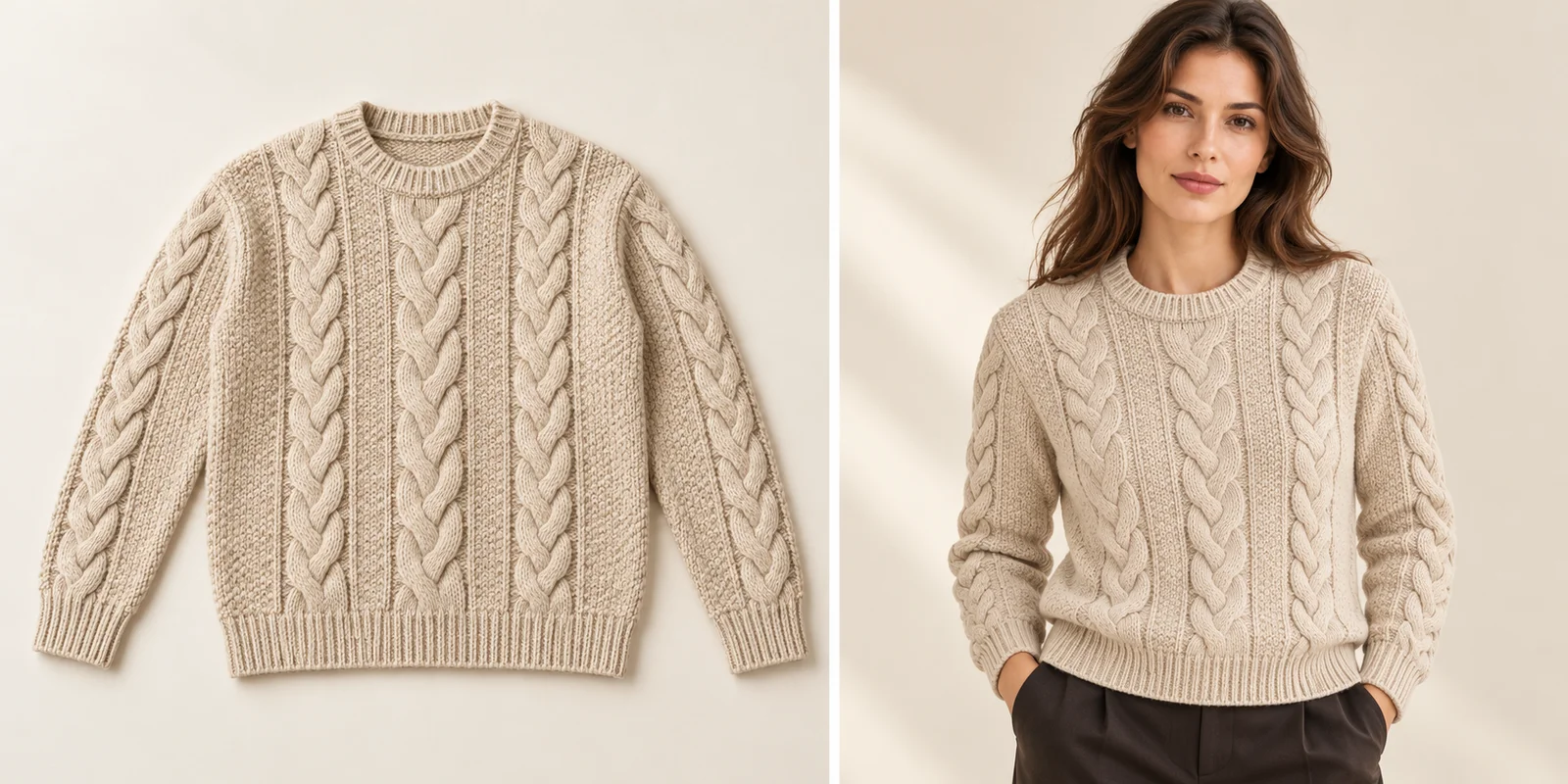
The right color can still cover the wrong construction.
For AI knitwear product photography, preserve the stitch structure before judging the setting. A cable-knit sweater can keep its cream color while losing a braid, gaining a different neckline or turning its ribbed cuff into a smooth sleeve. Those details distinguish the product. Start with its visible pattern, edge finishes and joins, then ask whether the new photograph still describes the sweater you actually sell.
The photographs in this guide follow one fictional sweater from a clear reference into an on-model scene. Use the full view to understand the repeat, then inspect the cable crossings, ribbing and seam relationships. All generated examples are editorial illustrations, not measured application results. For your own collection, keep the approved product photographs nearby throughout the decision and retain a useful close-up alongside the styled view.
Prepare the Knitwear References
Show the whole garment and the details that identify it.
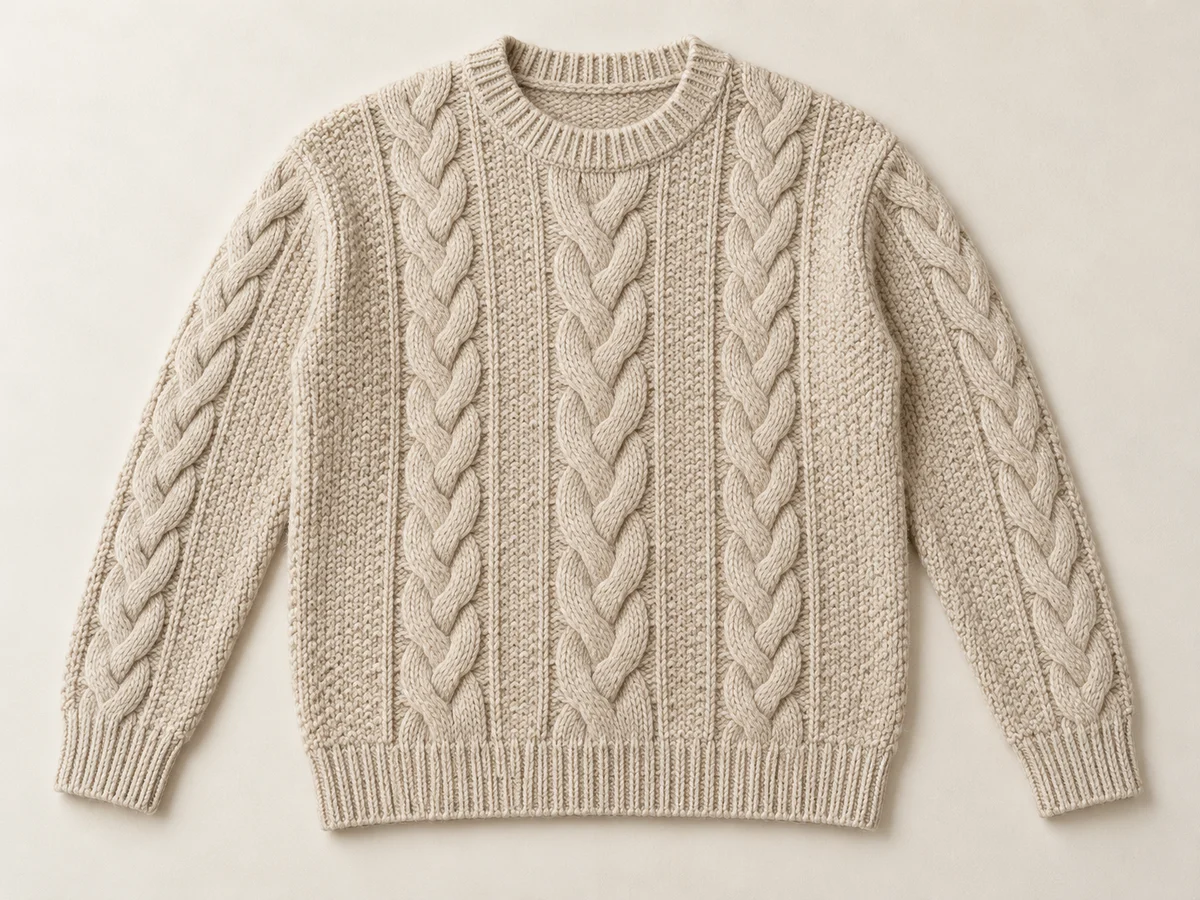
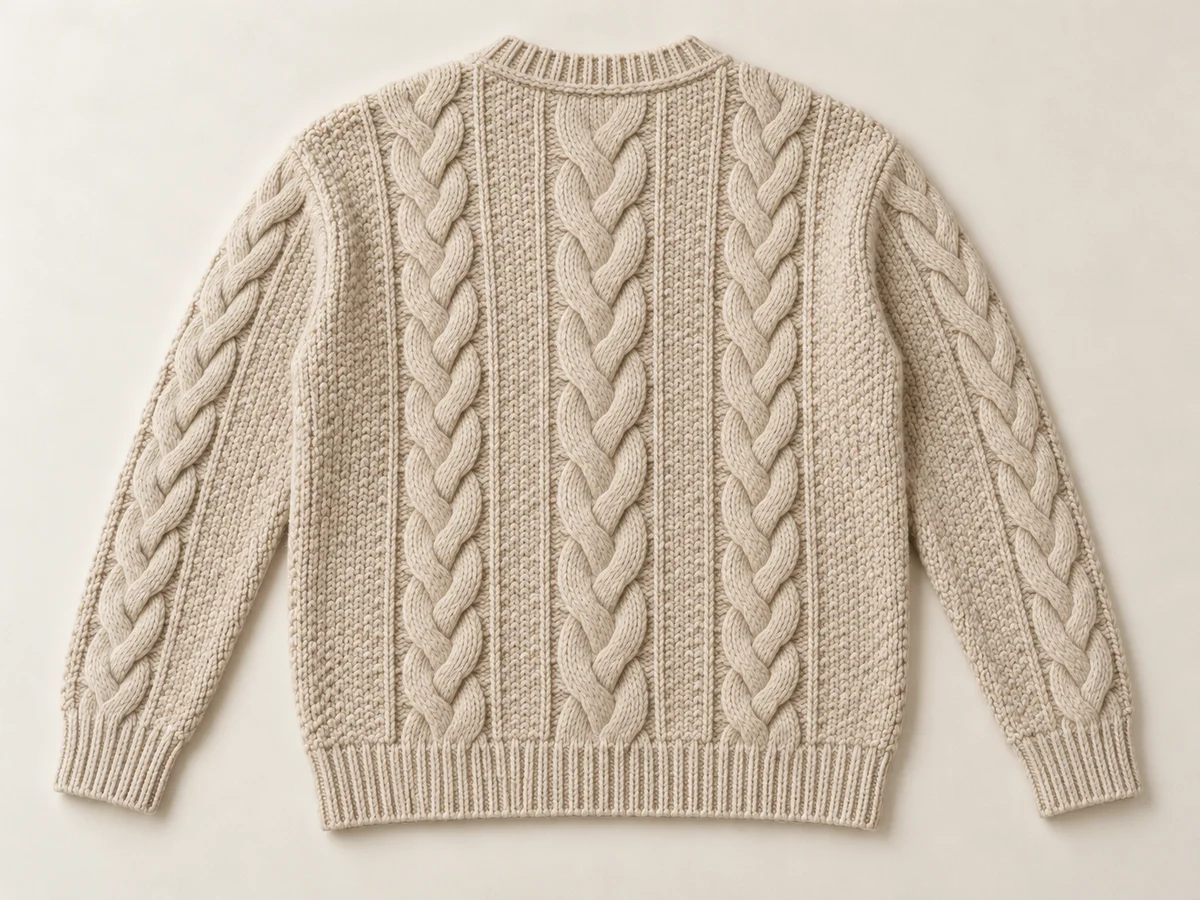
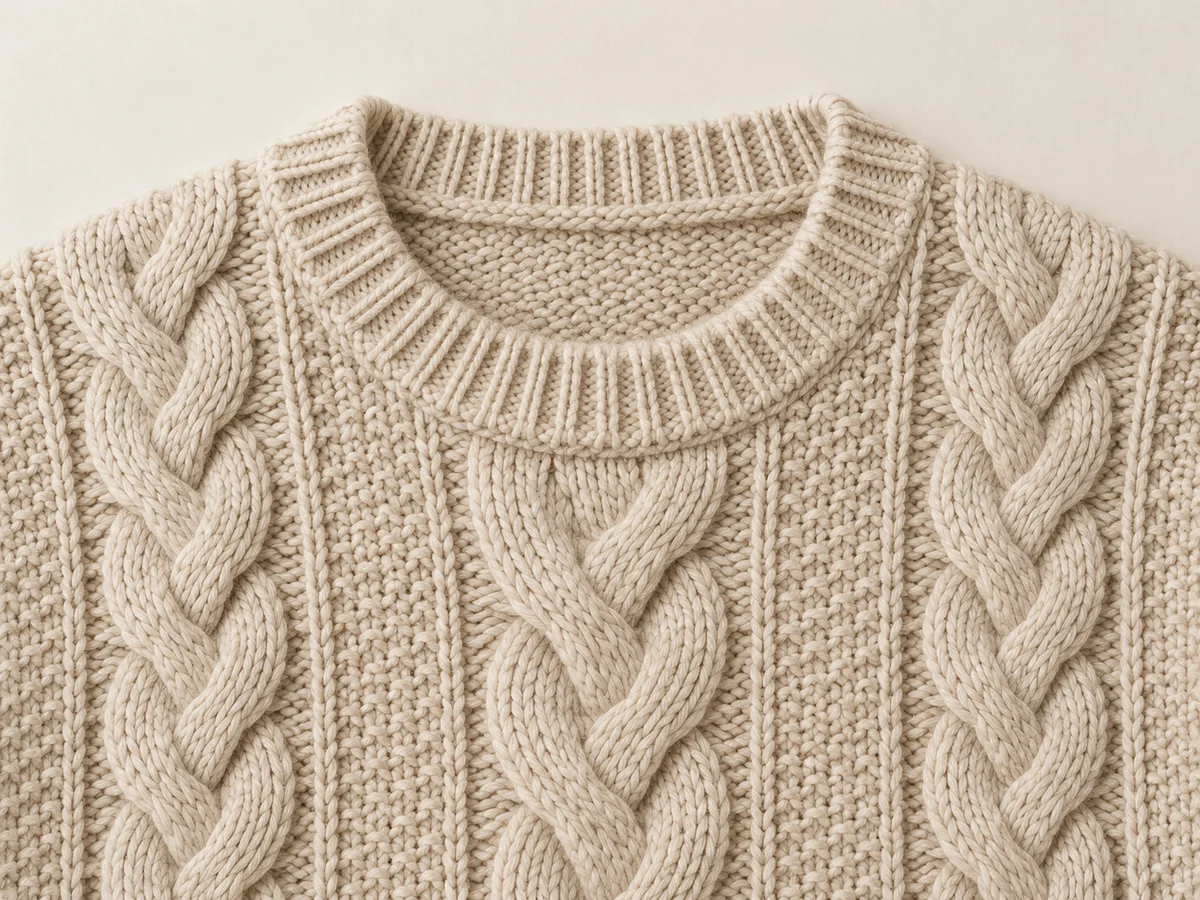
Begin with an evenly lit front photograph of the correct sweater and colorway. Keep the neckline, sleeves, cuffs and hem fully visible without stretching them into a neater shape. Add the back, because a front cable panel does not establish the rear design or shoulder construction. A close view should show the stitch scale and one complete pattern crossing rather than a vague patch of cream fabric.
Shopify’s clothing-photography guidance recommends multiple angles and close-ups of fabric, stitching and other defining details. For knitwear, make those views specific to the garment: a fine jersey and a raised cable need different evidence. Label the front, back and detail photographs with the same product identifier. Avoid mixing a sample from one season with a revised cuff or neckline from another version, even when their overall silhouettes seem interchangeable.
Follow the Cable Repeat
Read the pattern as a layout, not a decorative surface.
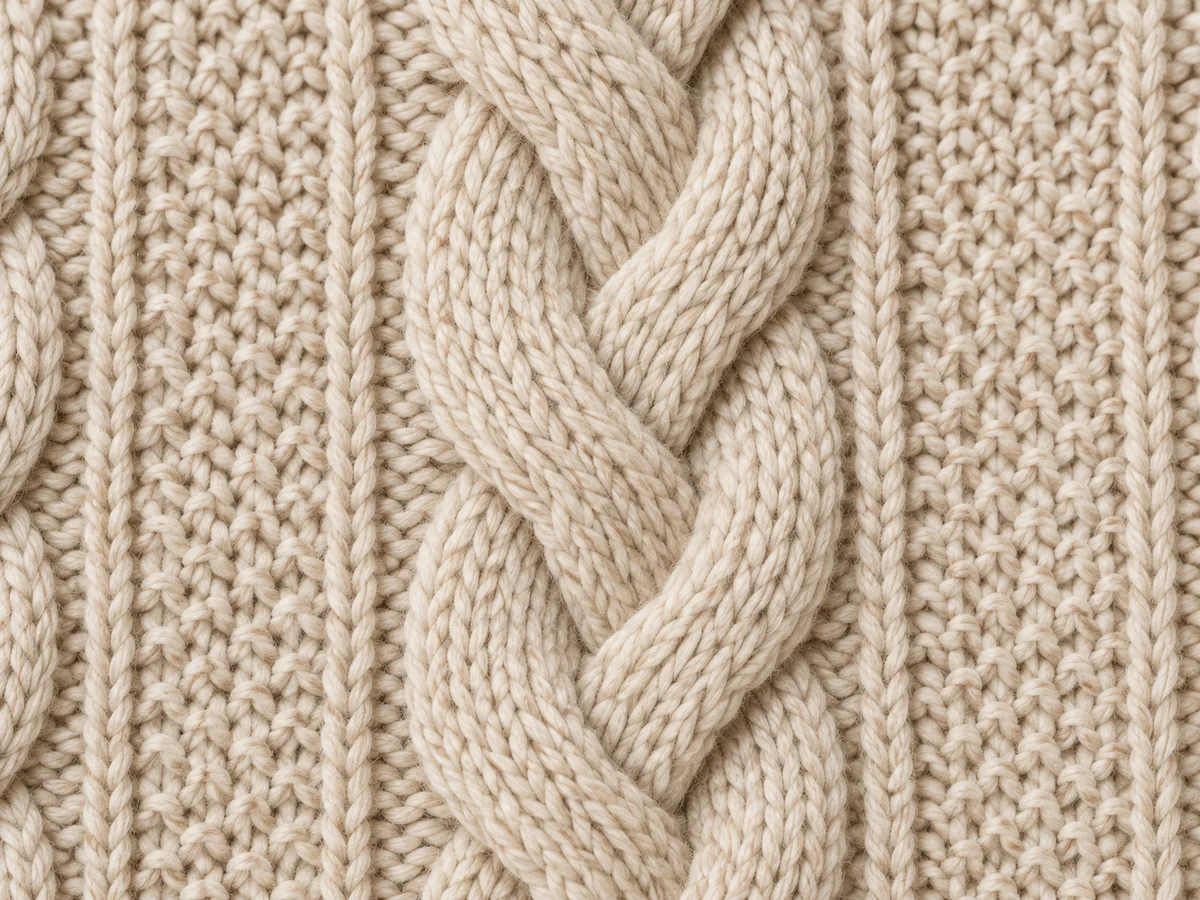
Find the central cable and follow its route from the hem toward the neckline. Compare the number of major columns, the spaces between them and the way each crossing repeats. Then look at the sleeves. A generic braided texture can look convincing while replacing the original arrangement. Where a fold hides part of the pattern, judge the visible landmarks and request a clearer view when the missing section matters.
CottonWorks describes knitted fabric as intermeshing yarn loops, with horizontal rows and vertical columns. That structure gives you useful visual language for a reference: look for continuous loops and coherent direction instead of accepting a painted rope effect. The exact repeat still comes from your product photograph. Do not impose three cables, a particular stitch size or a symmetrical sleeve pattern on a sweater whose real design uses another arrangement.
Keep the Ribbed Edges
Check the neck, cuffs and hem separately.
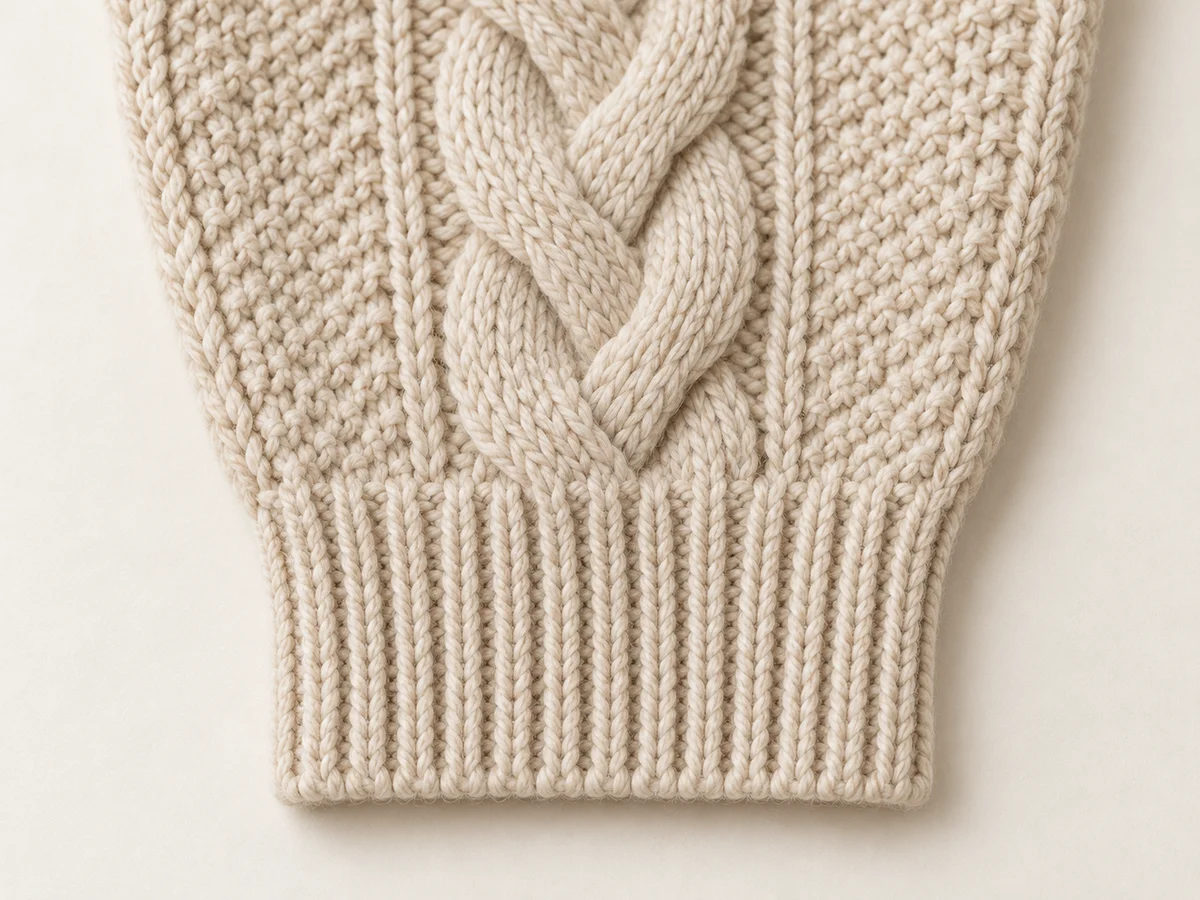
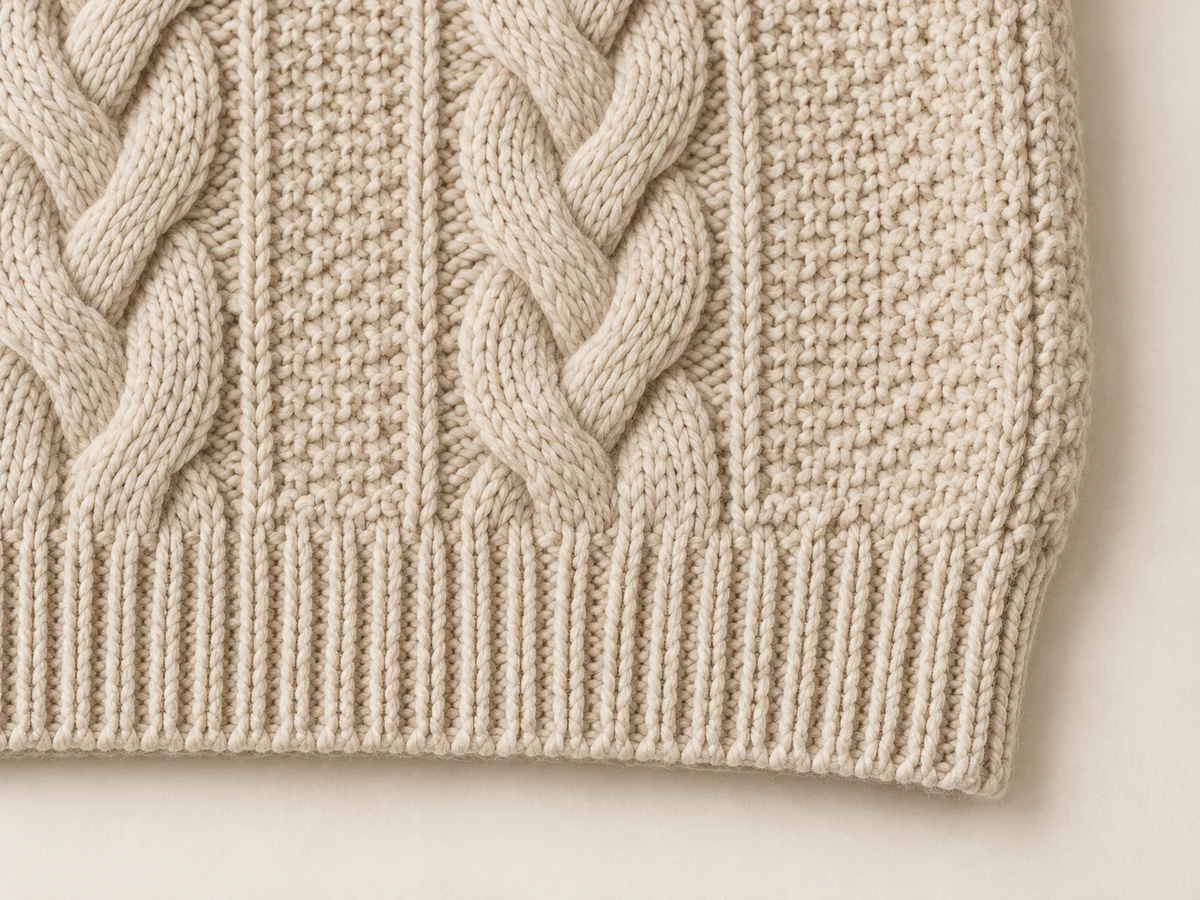
The neckline, cuffs and bottom band deserve their own close views. Compare their visible depth, rib direction and relationship to the main body. A ribbed crew neck should not become a rolled edge; a deep cuff should not shrink into a narrow trim simply because the model’s wrist is bent. Follow each transition where the raised pattern meets the simpler border and check that the intended finish remains readable.
Natural handling changes the spacing you see. A cuff can gather at the wrist, and the hem can curve around the wearer. Compare similar positions before calling every compressed rib an error. What matters is that the border still represents the supplied garment. A photograph can show the appearance of an edge, but it cannot establish its recovery, elasticity or durability; keep those product properties tied to reliable specifications rather than a convincing generated sleeve.
Inspect Where Panels Meet
Keep seams and pattern changes in the right places.
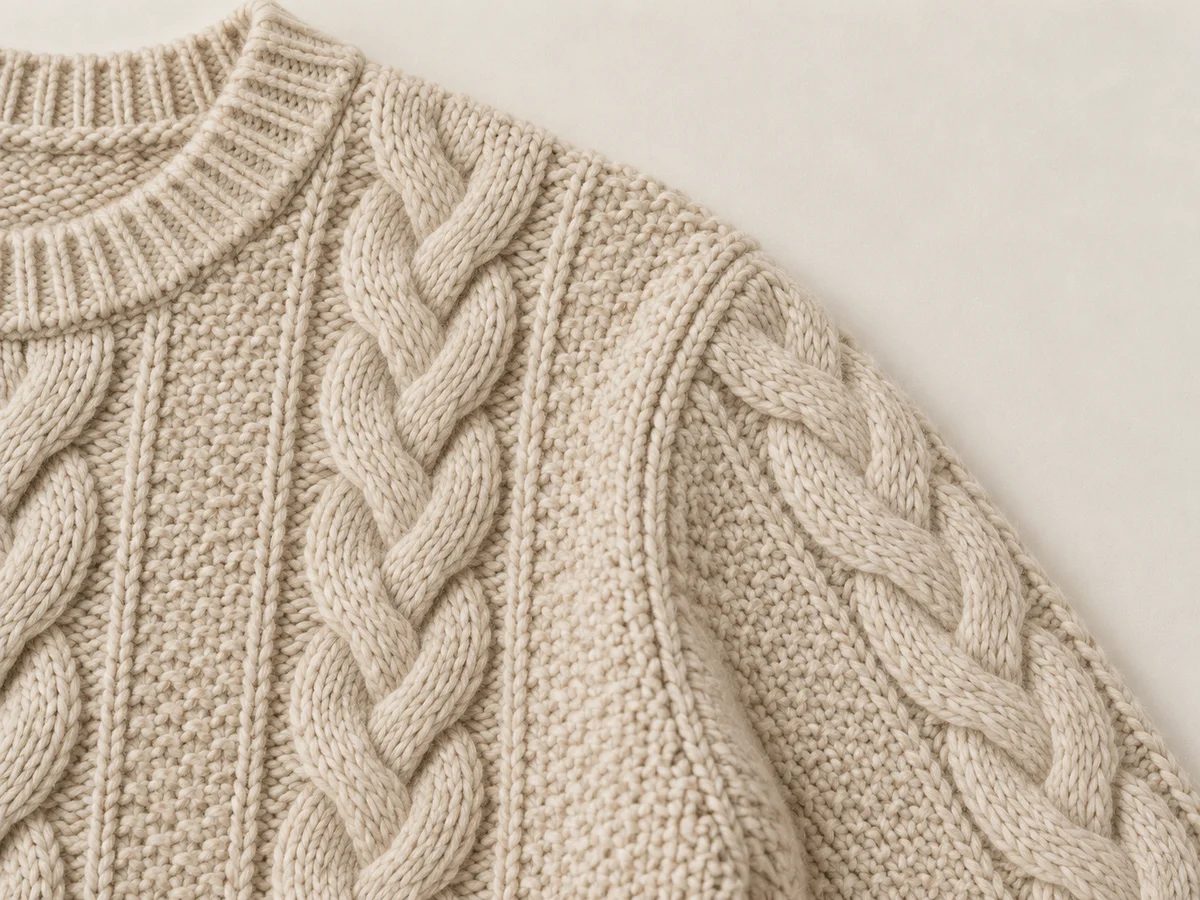
Locate the shoulder join, underarm and side seam in the reference. Does the sweater use a set-in sleeve, a raglan line or another construction? Preserve that relationship when moving to a new pose. A tidy invented seam still describes a different garment. Check whether cable columns stop, continue or change at the same boundaries, and whether the sleeve attaches where the source shows it attaching.
Inspect the back as its own view rather than assuming that the front pattern wraps around unchanged. If hair, a folded sleeve or the body hides a join, keep a clear source photograph for that area. The aim is a traceable product decision, not a claim about manufacturing quality from an image alone. Knitted loops, visible sewing and decorative surface effects can all appear together; compare their roles instead of treating every raised line as the same construction detail.
Choose a Revealing Pose
Give the pattern and borders room to be seen.
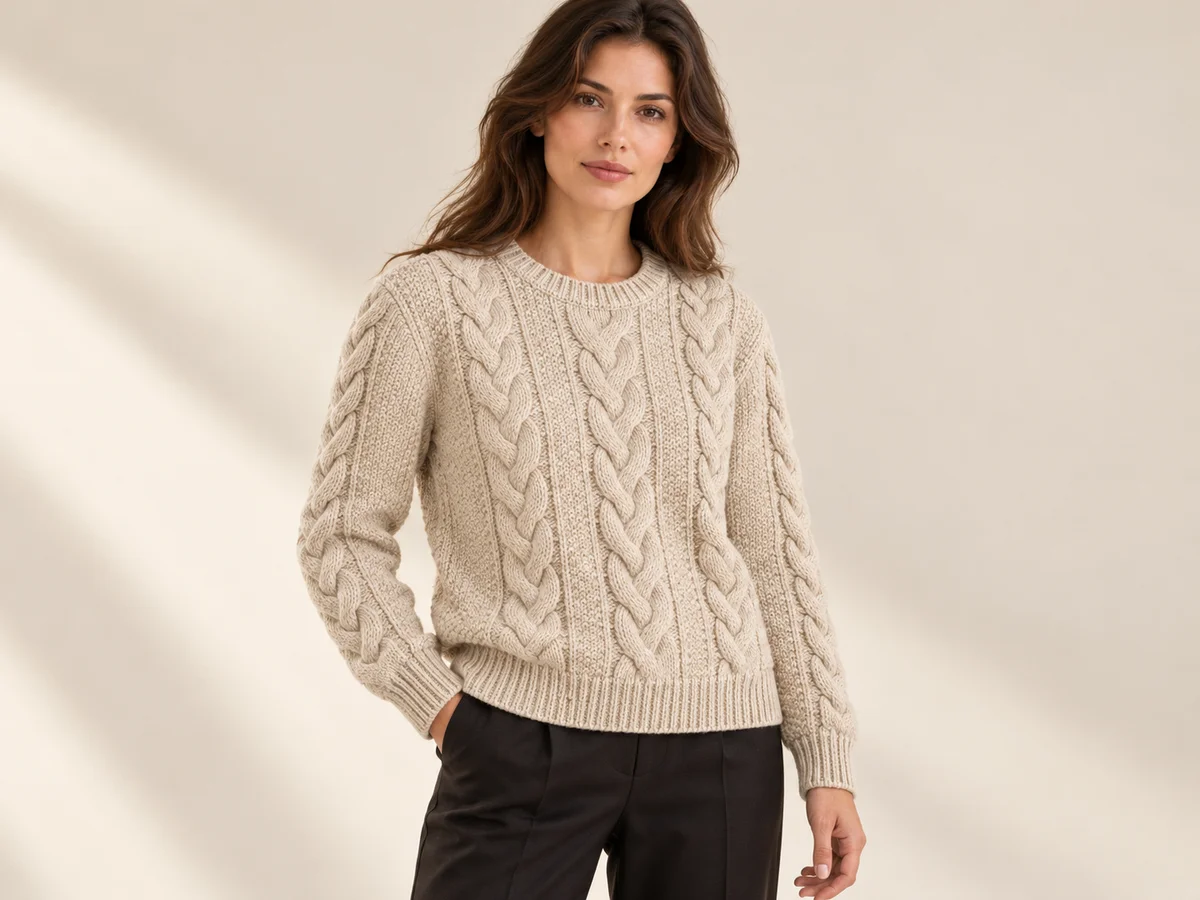
For a cable-led product view, choose a pose that leaves the front panel open. Arms crossed tightly over the chest can hide the central repeat, while a bag strap or long hair can cover the neckline and shoulder. Keep at least one view where the cuffs and bottom band are visible. A relaxed arm position often makes their relationship to the body easier to read than a dramatic gesture.
Editorial poses can still add useful context. Give each image a purpose and keep a simpler product view beside it. As the wearer turns, the sweater’s folds and apparent width will change; those changes are not a calibrated fit prediction. Use the real garment’s measured dimensions and composition information in its listing. An AI photograph cannot confirm wool content, softness or warmth, and a rich-looking yarn surface should not become a new material claim.
Take the Sweater into Lookbook
Choose the direction without rebuilding the whole shoot.
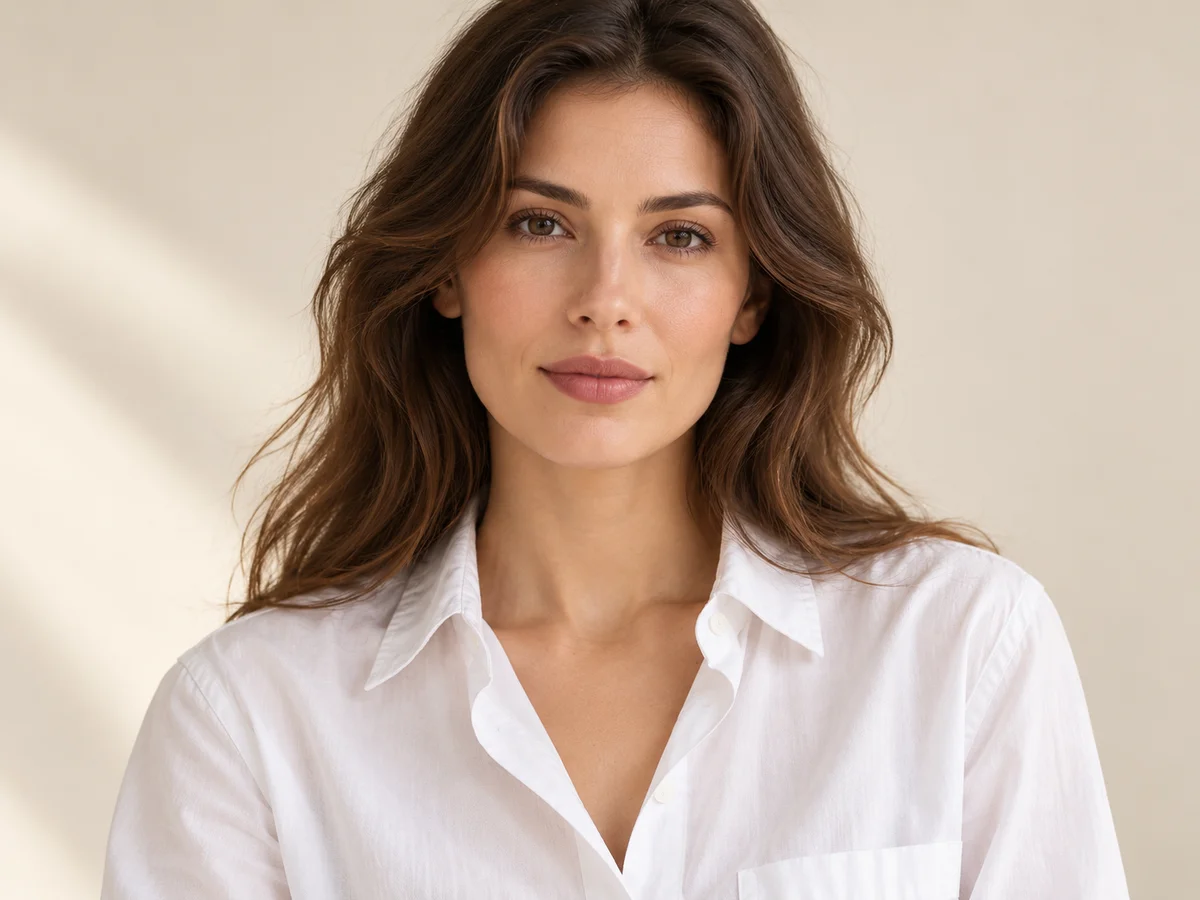
Model · choose Your sweater · add 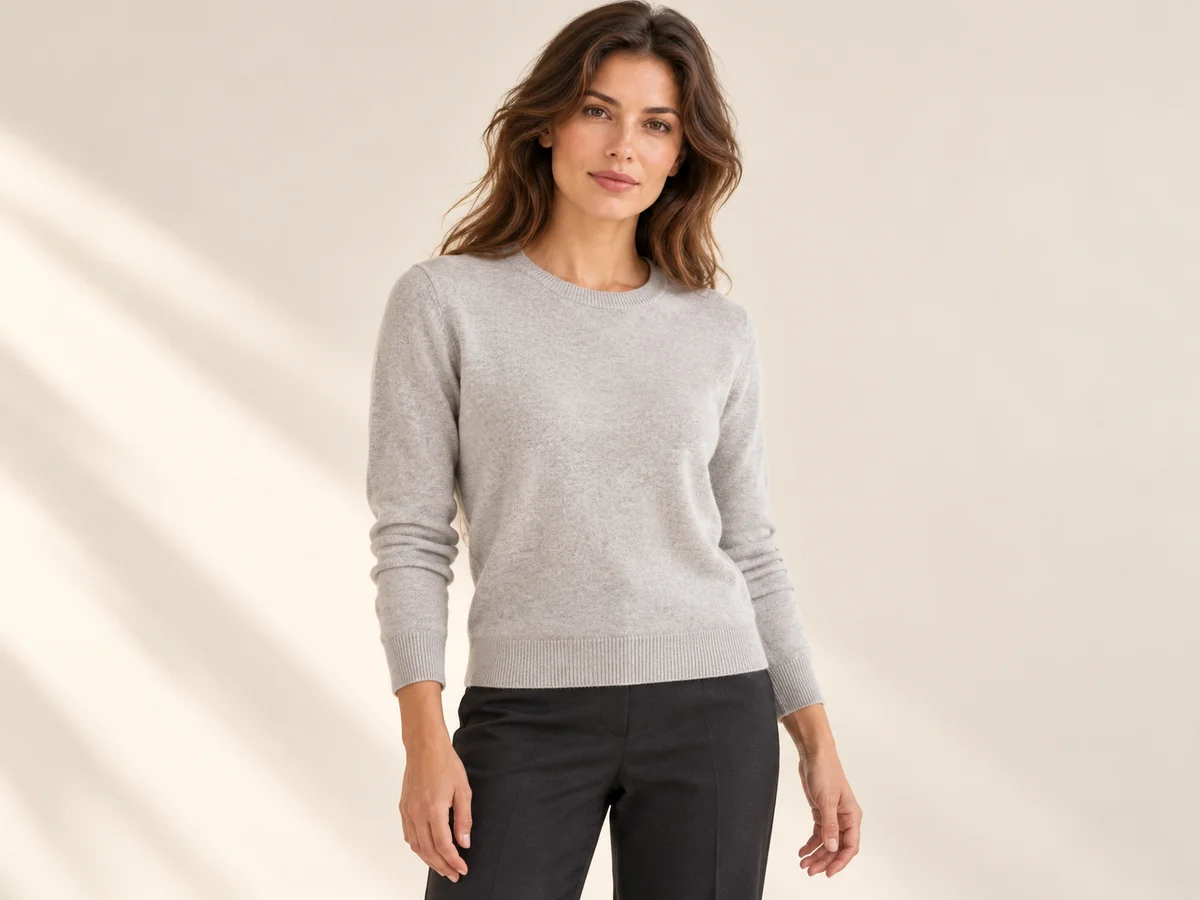
Ready scene · choose Result · review the details
In Studiola, choose a model when needed, add your own sweater and select a ready Lookbook scene. The scene makes the intended pose, framing and light visible before generation. The basic workflow does not require writing a prompt. That reduces the preparation involved in organizing references and describing a setup from the beginning, while leaving the product-specific decisions with your team.
Choose a scene that shows the features you need: the front cable layout, the ribbed neckline or an unobstructed sleeve. Generate, then compare the result with the approved references before exporting. Keep the same product and colorway attached to the selected image. Google Merchant Center’s guidance calls for imagery of the item and specific variant being sold. A prepared scene supplies direction; it does not guarantee that every loop, crossing or seam will remain unchanged.
Sources & quick answers
Published · By Studiola Editorial Team
Frequently asked questions
Can one front photo describe a cable-knit sweater?
It can support a front-facing view, but it does not establish the back pattern, hidden joins or cuff construction. Add the views that the planned scene needs, plus a close-up with a complete pattern crossing.
Should every cable look identical in a new pose?
Folds, perspective and compression change the visible spacing. Compare recognizable columns and crossings at similar angles, and keep the original arrangement rather than a generic braided substitute.
Can an AI knitwear photo prove the yarn composition?
No. Use the manufacturer’s composition and product specifications. A photograph can illustrate visible texture and styling, but it cannot verify fiber identity, warmth, softness or stretch recovery.
How this guide was researched
Source-based editorial guide researched on October 25, 2026. The sweater photographs are AI-created conceptual illustrations, not verified product reproductions or measured Studiola outputs. The proposed checks explain visible knitwear identity; images do not verify composition, performance or fit. Studiola publishes this guide and offers the Lookbook workflow described.
Sources & further reading
- 01Knit Basics
CottonWorks · Primary source · Checked
- 02Clothing Photography: How To Photograph Clothes
Shopify · Primary source · Checked
- 03Image link [image_link]
Google Merchant Center · Primary source · Checked
Build a Scene Around Your Product
Add your product, choose a ready scene and keep its defining details in view.