AI Bag Photos: Keep the Shape
A strong scene starts with the right bag. Keep its shape, straps and hardware recognizable.
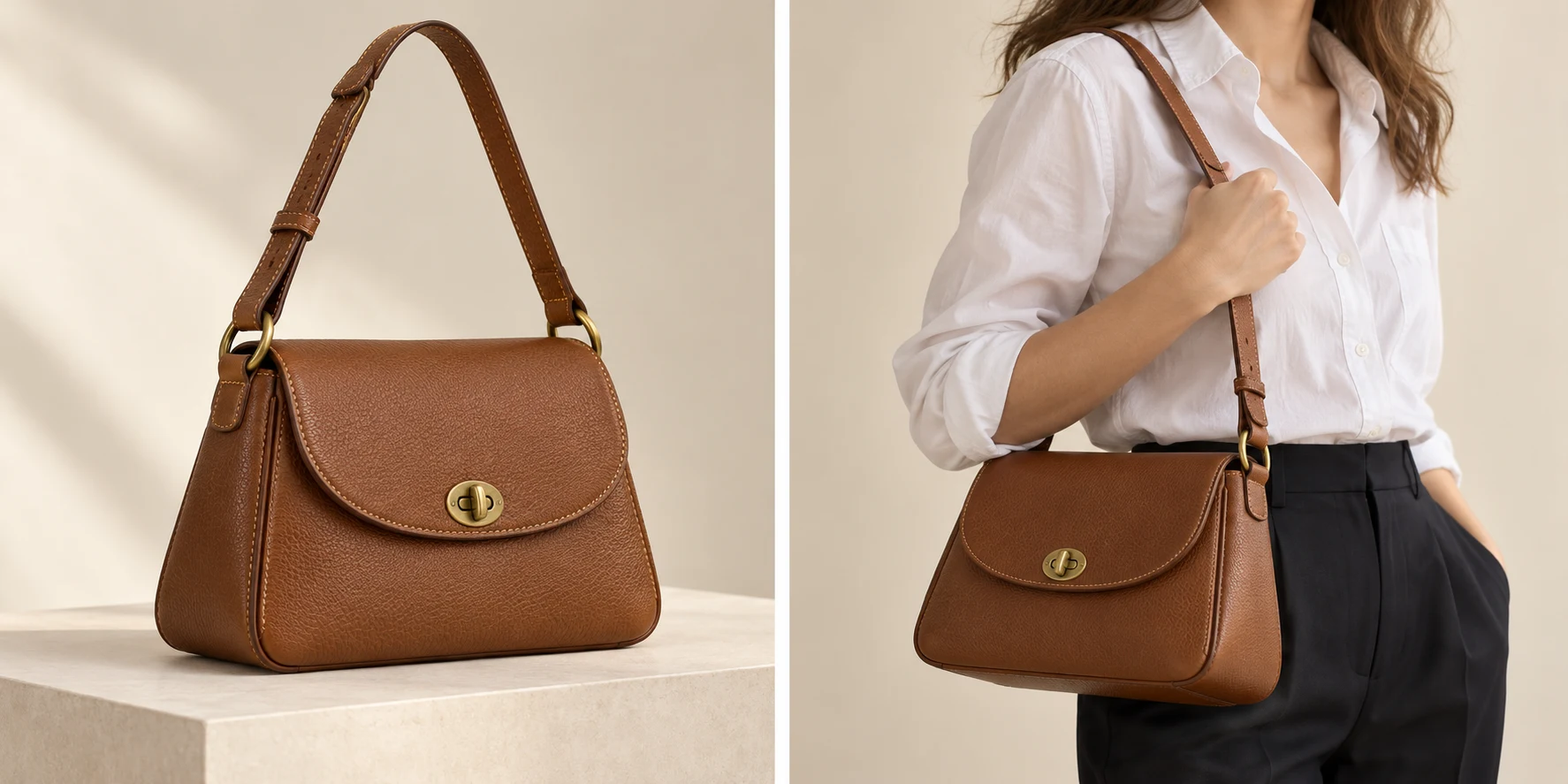
A convincing photo can still show the wrong bag.
A structured tote can become a soft shopper. A shoulder strap can attach to the wrong ring. A clasp can look polished while changing its shape. For a bag brand, those are product differences, even when the background and model look convincing. Start with a simple question: does this image show the item the customer will receive?
This guide follows the bag from reference photographs into a lifestyle scene. Use the large view to judge its form, then move closer for straps and metal details. Keep an approved product photograph beside the candidate throughout. The aim is a useful image that remains recognizable as your actual product.
Prepare the References
Show the structure before asking for a scene.
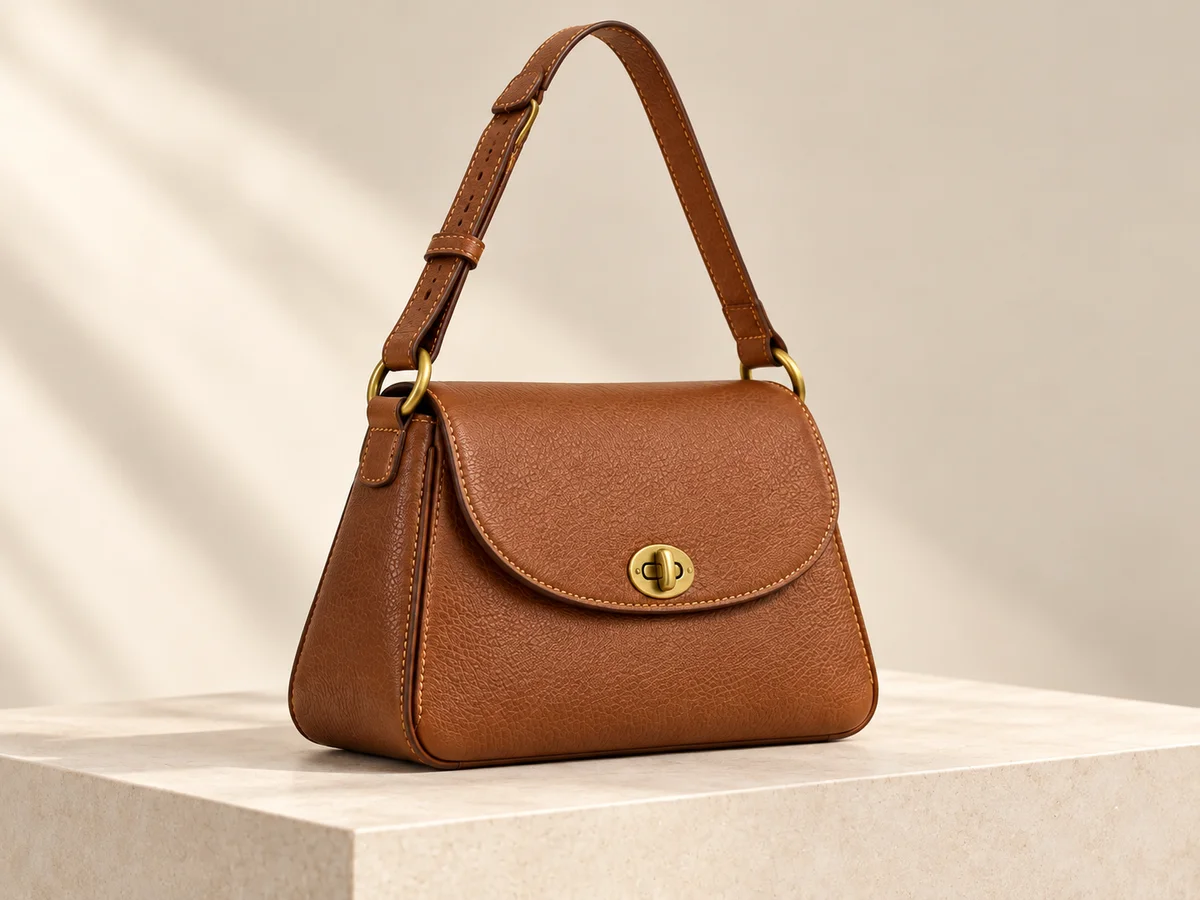
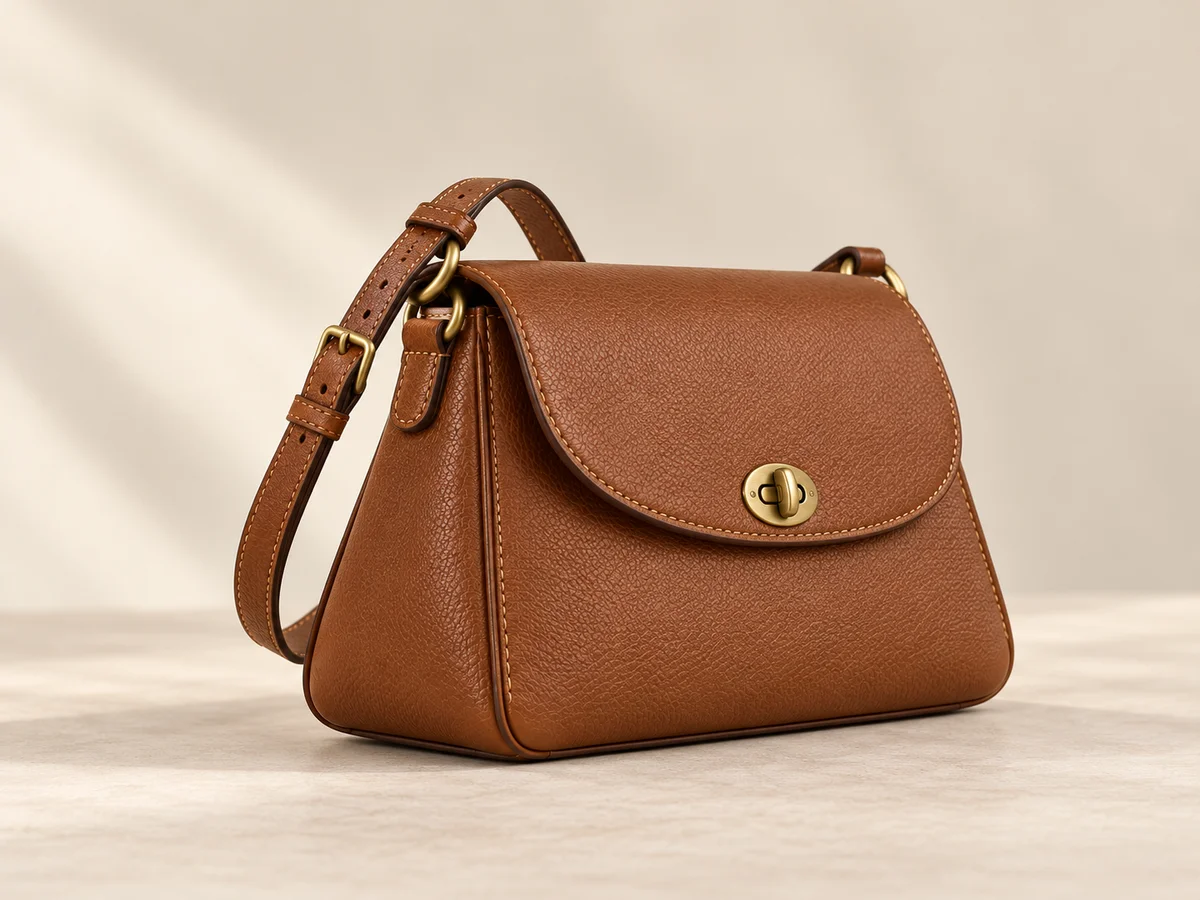
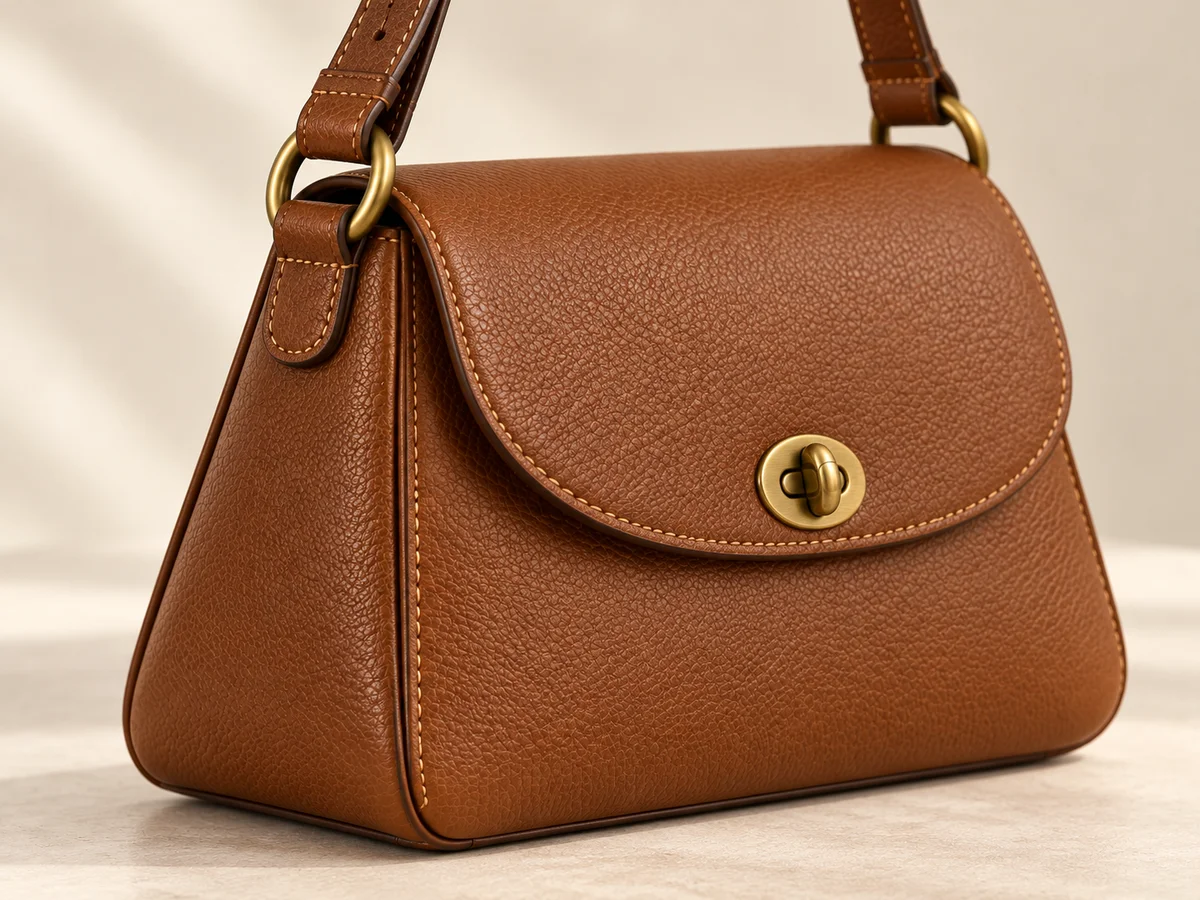
Choose a clear front or three-quarter photograph of the correct color and material variant. Add a side view when depth matters and a close-up of the strap attachments and closure. Keep handles and the base visible. A single flattened image may not show how a structured bag holds its volume.
FASHN’s official guidance notes that missing depth in flat-lay inputs can reduce realism for structured products such as bags. Treat that as a reason to supply better evidence, rather than writing a longer description of unseen surfaces. Name each reference by product, variant and view so another person can identify the source without guessing.
Check the Shape
Check the silhouette before admiring the setting.
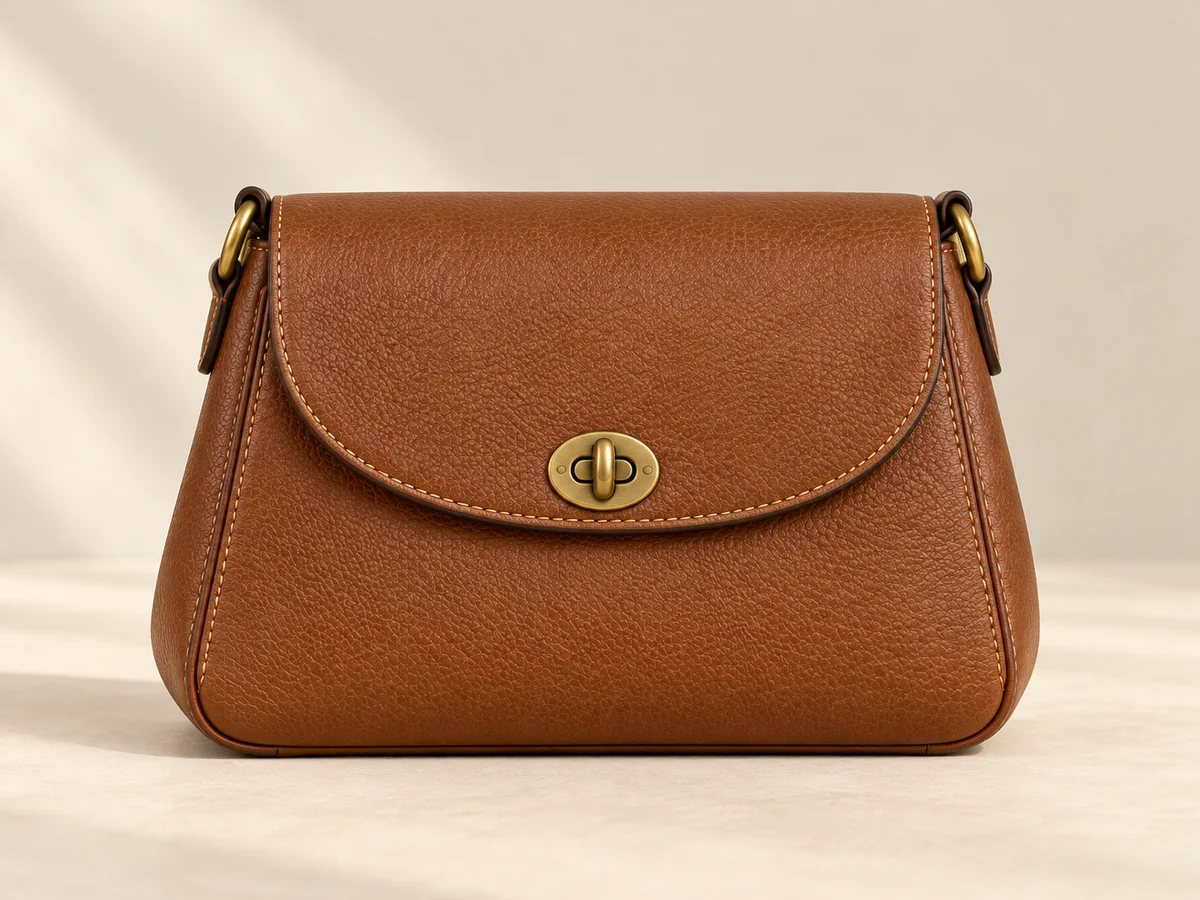
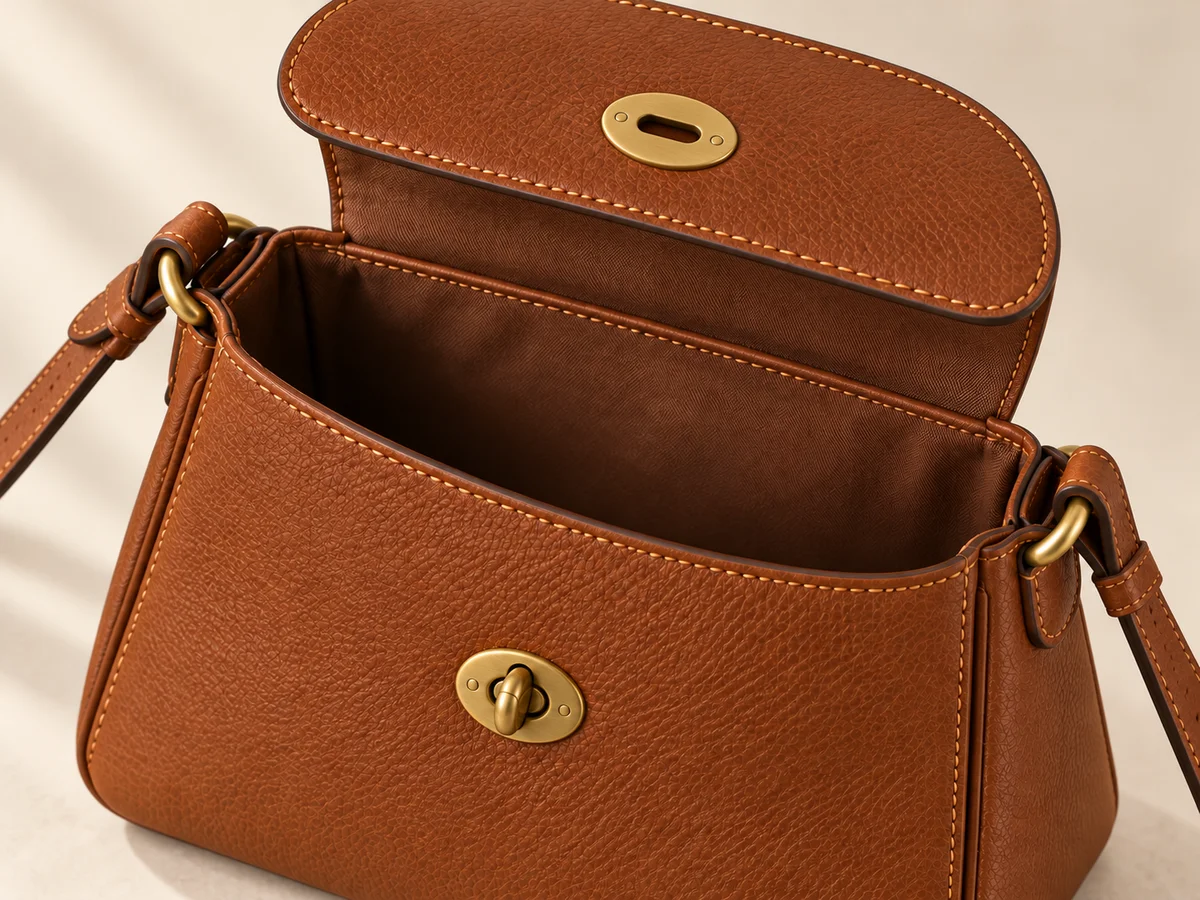
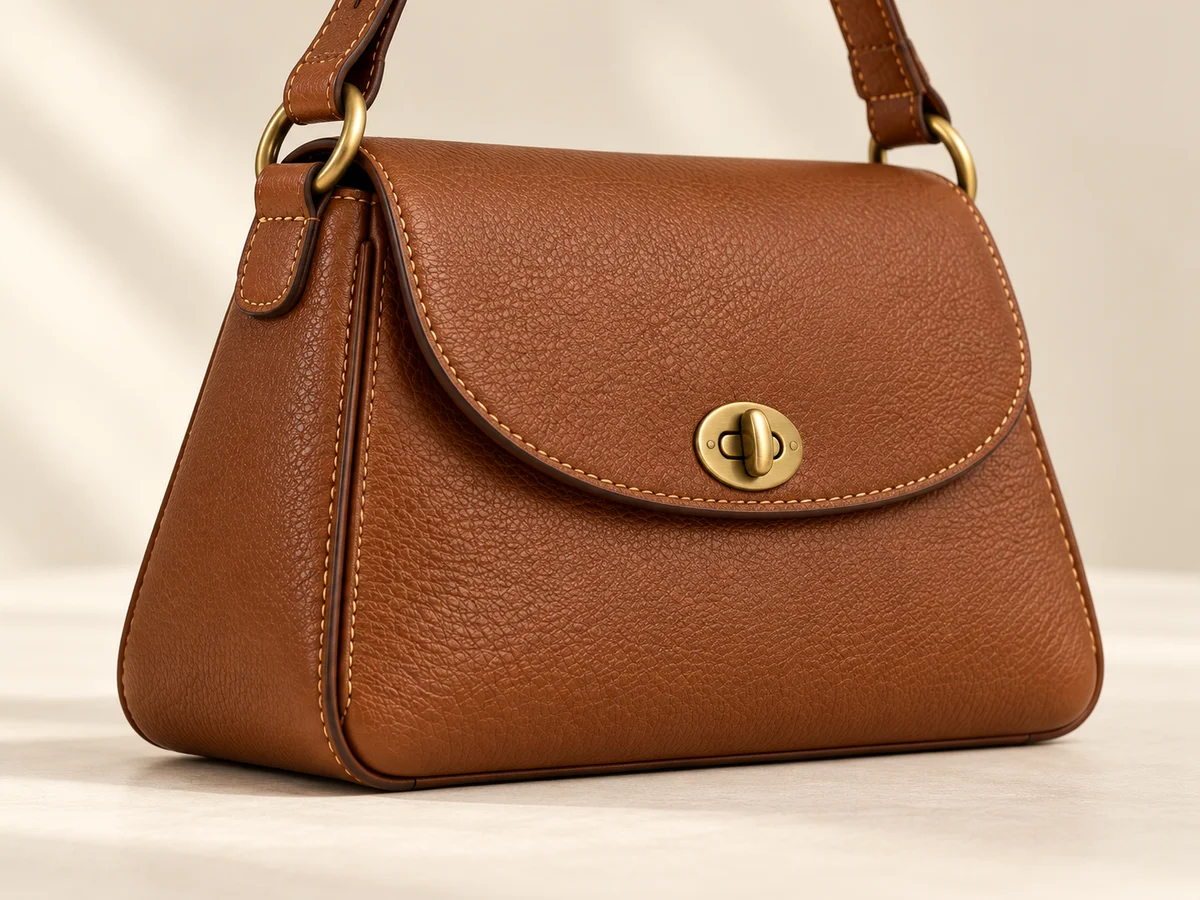
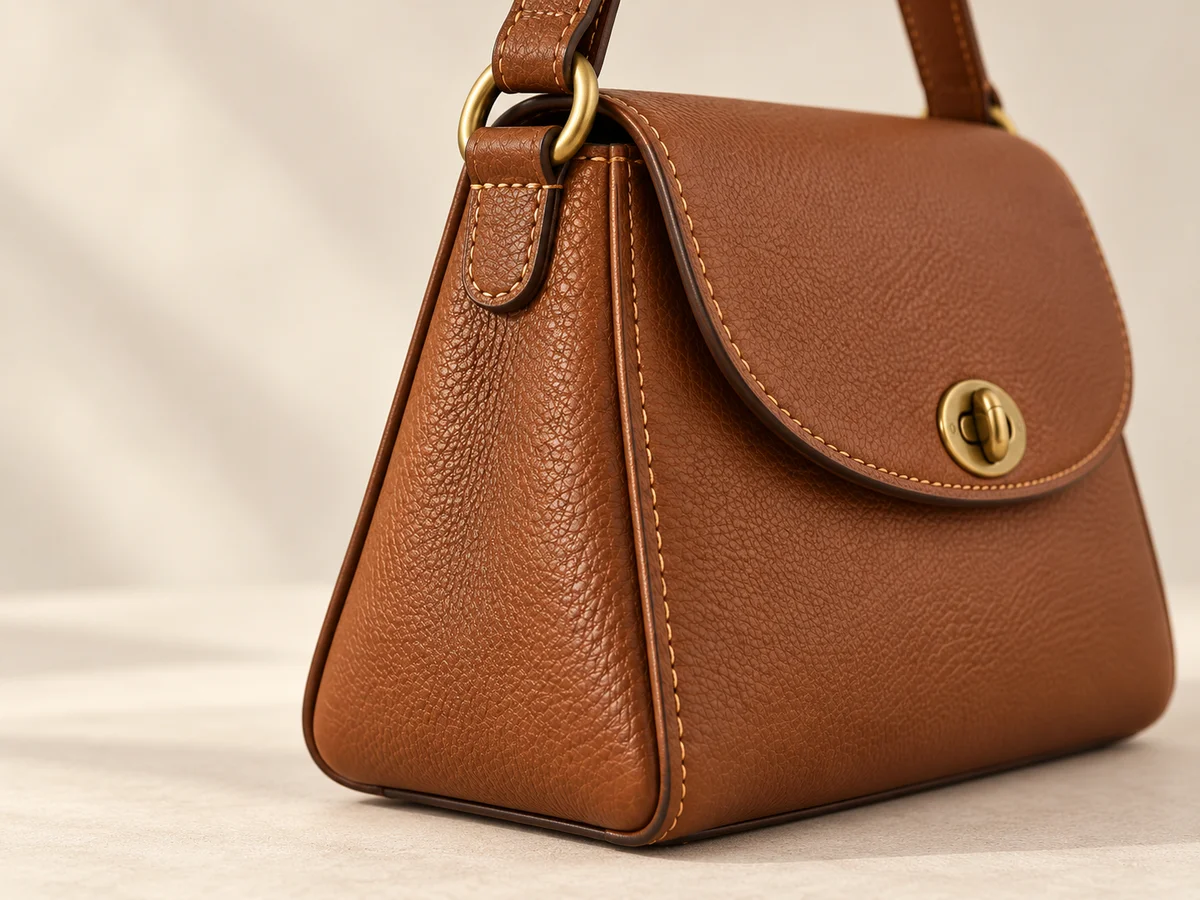
Compare the bag’s width-to-height relationship, top opening, corners and base against the source. Where possible, compare similar viewing angles: a three-quarter view naturally looks different from a straight-on photograph. Look for changes that describe a different product, such as a rounder base, a narrower opening or a lost side panel.
Then inspect volume. Is the tote still structured, or has it collapsed into a pouch? Does a curved shoulder bag keep its intended profile? Soft leather can fold, so identical outlines are not the goal. The useful distinction is between believable handling of the same bag and a redesign of its construction. Record the specific change you see.
Trace the Strap
Follow each strap from attachment to attachment.
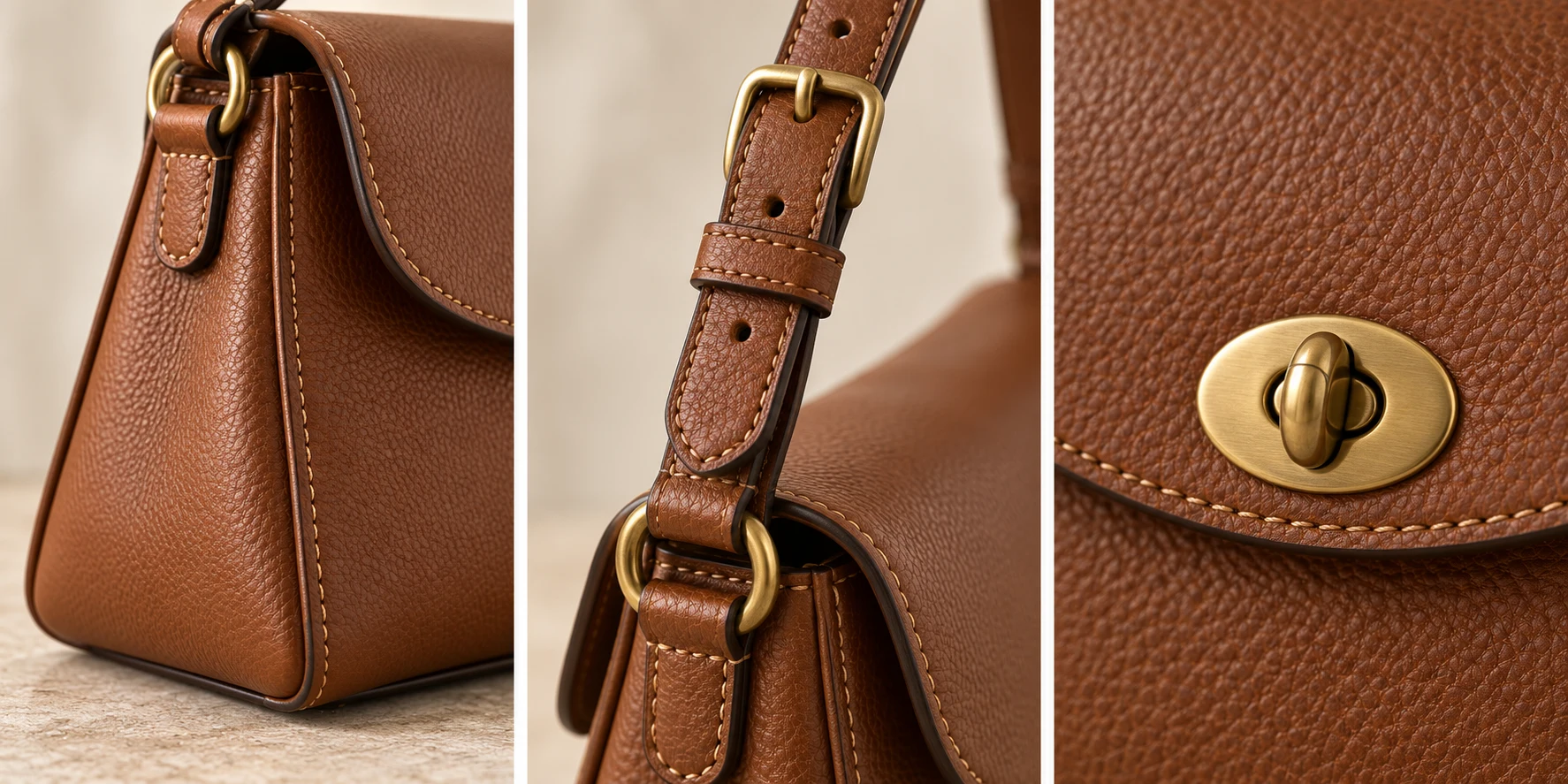
Start at one end and trace its route through the image. Check whether it connects to the correct ring, follows a continuous path and returns to the expected attachment. Distinguish a shoulder strap from short handles. If both are supplied with the product, confirm that the candidate has not merged them or quietly removed one.
Look carefully where a hand, sleeve or the bag itself hides the strap. A hidden section is not automatically an error, but it can make the connection impossible to judge. Choose a clearer view when that connection matters. For an adjustable strap, compare the buckle and adjustment arrangement with the real product rather than accepting any plausible strap.
Inspect the Hardware
A small clasp can identify the whole product.
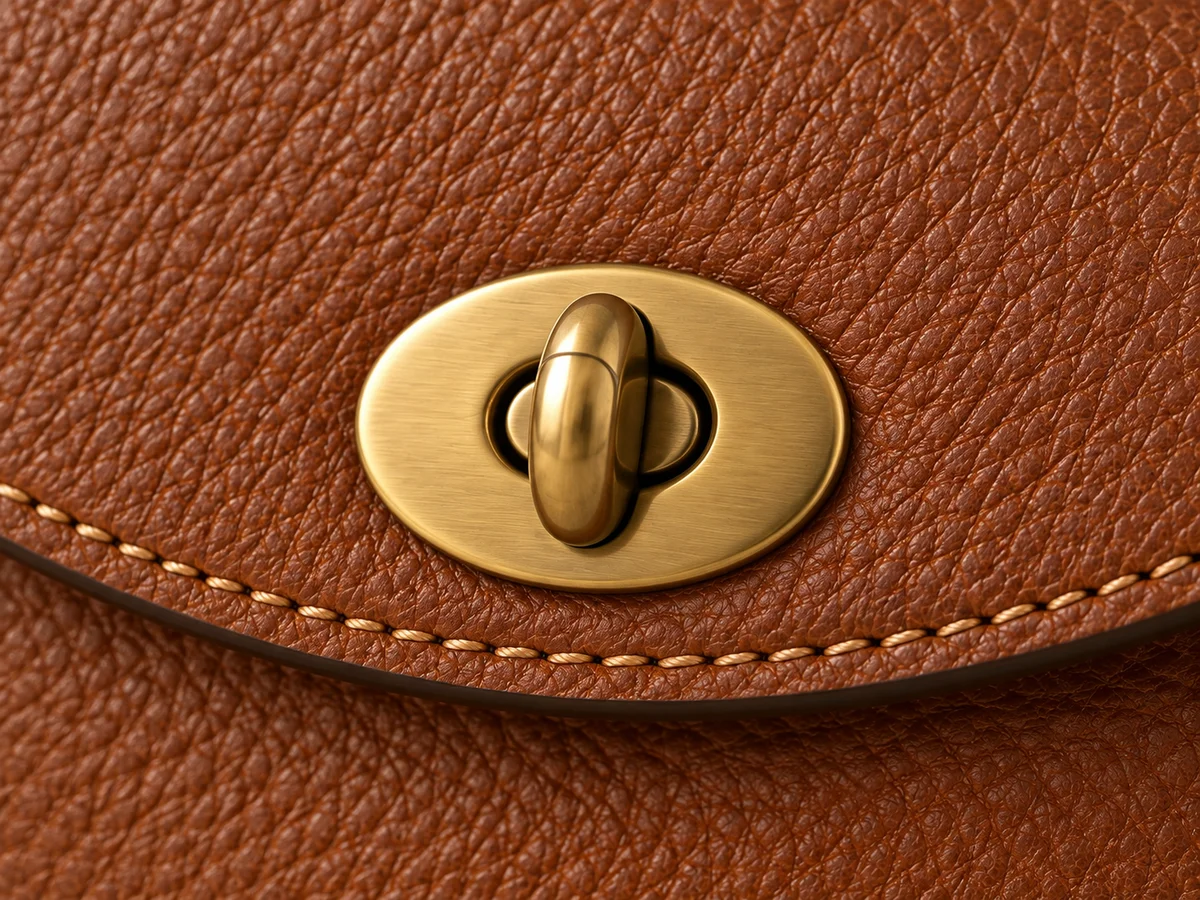
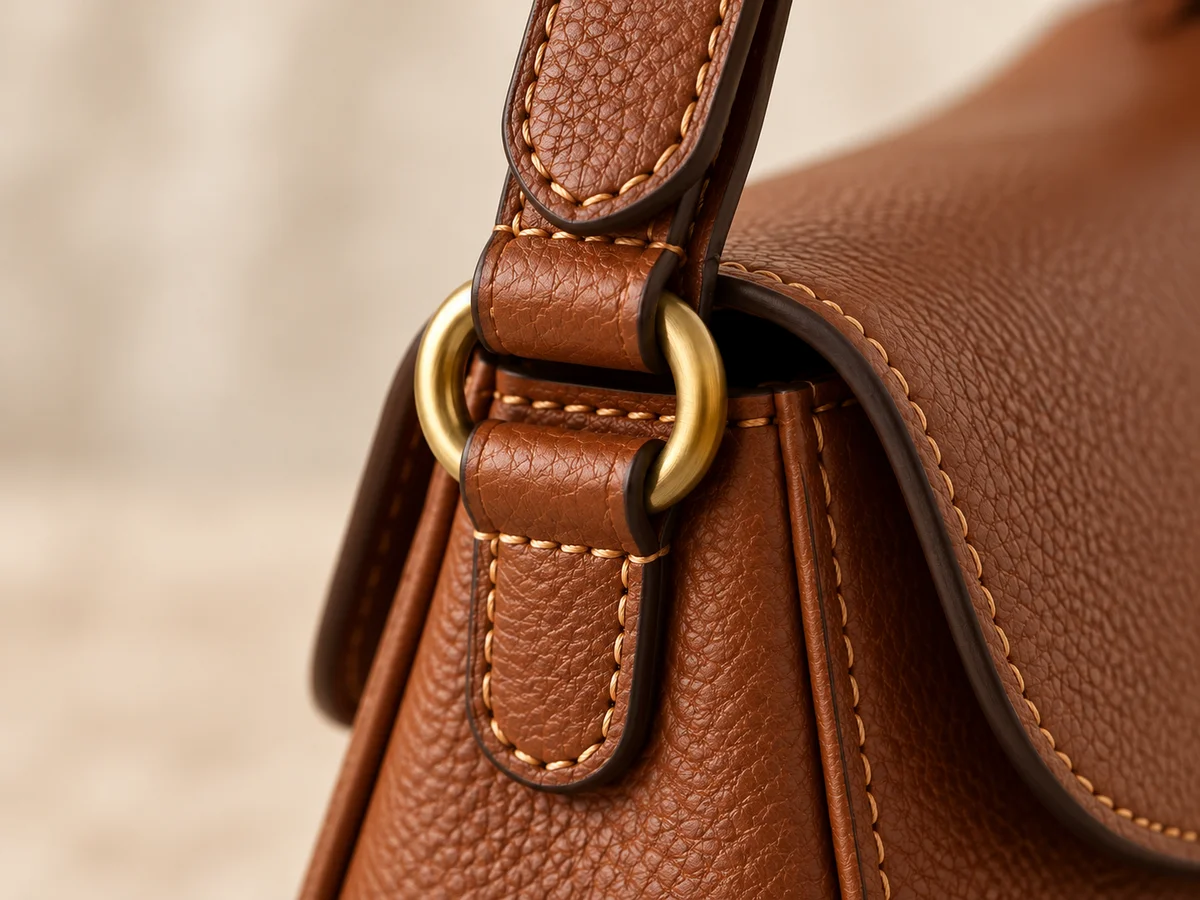
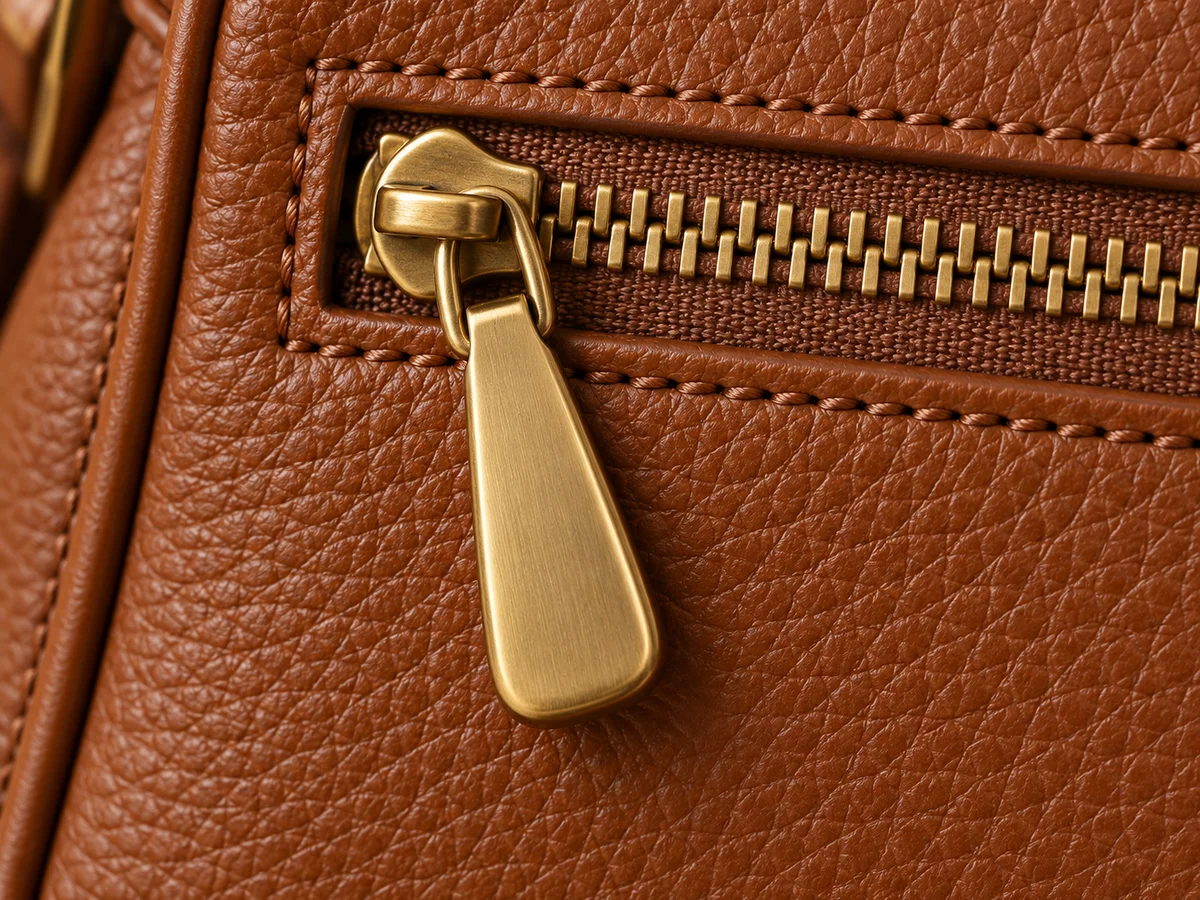
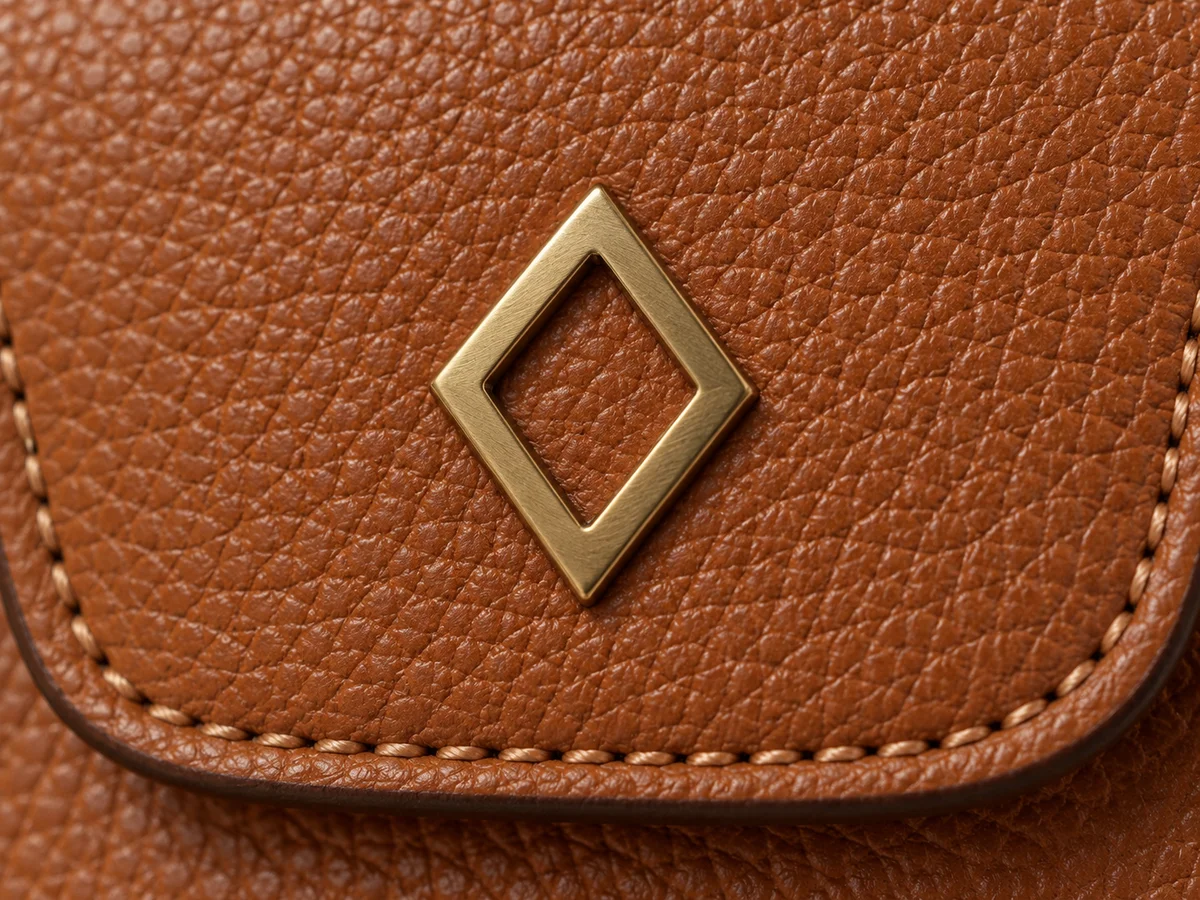
Enlarge the closure, rings, zipper pulls and any metal logo. Compare their shape, number, placement and finish with the approved close-up. Gold-looking hardware is not interchangeable with the actual gold-tone clasp design. A neat invented fastener still represents a different component, even if it suits the scene beautifully.
Separate reflection from construction. Bright light can hide an edge without removing the part, while a different angle can reveal only one side of a ring. If the detail remains unclear, use another view or a controlled correction based on the source. Avoid guessing a branded shape or lettering. The reference should settle what the component is.
Keep the Scale Plausible
Use the scene for context, not measurement.
Product reference
Carrying context
A mini bag should not read as a roomy tote simply because the person or nearby furniture changed scale. Compare its relationship to the hand, torso or supporting surface. Check that the carrying position matches the intended use: held by short handles, resting on a shoulder or worn crossbody. Keep the full bag visible in at least one useful view.
These comparisons are visual checks, not measurements. Keep the product’s real dimensions in its listing and use those facts when directing the image. A generated person, phone or chair is not a calibrated ruler. If a scene makes size ambiguous, choose simpler context and retain a clean product view alongside it. Do not infer capacity from a convincing lifestyle photo.
Choose the Scene
Let the setting support the bag’s actual design.

Model · choose Your bag · add 
Ready scene · choose Result · review the details
Product staging can place accessories in use: held, worn or resting on a surface. Photoroom documents these contexts for bags and other products. Choose a scene that leaves the important outline, attachments and closure visible. Then review the exported image against the references; a successful setting does not resolve an inaccurate product detail.
In Studiola, choose a model when needed, add your own bag and select a ready Lookbook scene. The scene carries the pose, lighting and framing, so you can begin with visible direction instead of rebuilding the setup. Keep the approval decision with the exported file and the correct variant. Google Merchant Center requires imagery that represents the item being sold; retain a clear product image alongside expressive lifestyle views.
Sources & quick answers
Published · By Studiola Editorial Team
Frequently asked questions
Can one front photo be enough?
It may support a front-facing presentation. Add another view when the scene depends on side depth, hidden attachments or a closure that the original photo does not show.
Should a strap look identical in every pose?
Its curve can change with how the bag is carried. The strap type, connections and adjustment details should still represent the actual product.
Can a lifestyle image prove the bag’s size?
No. Use the product’s measured dimensions. A lifestyle scene can communicate context, but generated people and props are not reliable measuring references.
How this guide was researched
Source-based editorial guide, researched on October 25, 2026. The shape, strap, hardware and scale checks are proposed review practices, not measured model results. No comparative generation test, success rate, pricing estimate or performance ranking is presented. Accompanying AI-generated photographs should be labeled as editorial illustrations rather than verified product reproductions or actual Studiola results.
Sources & further reading
- 01Try-On — Best Practices for Product Images
FASHN · Primary source · Checked
- 02AI Product Staging
Photoroom · Primary source · Checked
- 03Image link [image_link]
Google Merchant Center · Primary source · Checked
Build a Scene Around Your Bag
Add your product, choose a ready scene and review the details.